Availability
- Operating system: Windows
- Room system: Microsoft Teams Rooms and Zoom Rooms
- Base Unit: CX-50 Gen2
- Room feature: certified room hardware

Screen sharing mirrors the entire screen of the user device to the room displays. Every action or change done on the user device is represented on the meeting room displays in real time.
A room account that is added to a meeting combines screen sharing to the room displays and sharing within a conferencing app. Meaning, all supported ClickShare functionalities are mirrored to the remote participants without requiring additional actions in the conferencing app or the room account.
The local IT department must configure the Base Unit to allow connecting without needing a pin code. For more information, see the installation manual of the Base Unit.
The user device must be connected to the ClickShare system. For more information, see “Desktop App connection”.

Must a specific window be shared?
Open the application that must be shared.
The opened application is added to the available sharing options in the ClickShare App.
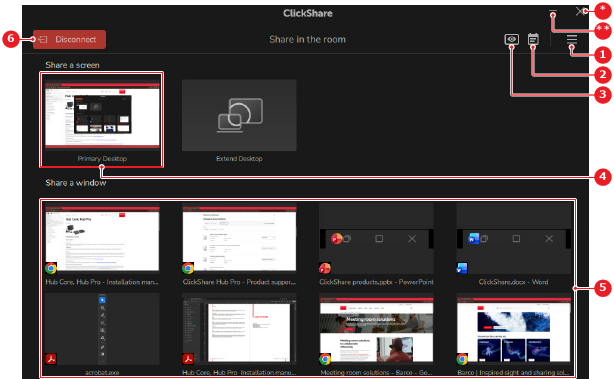
Click the content that must be shared (reference 4 or 5).

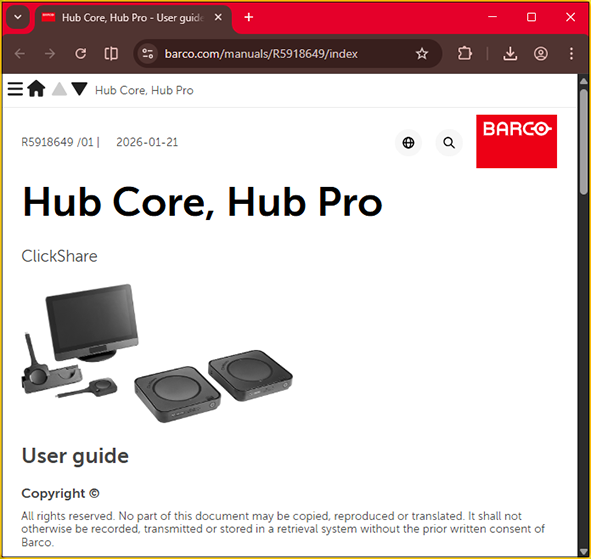
On the user device, a green border is added when a specific window is being shared.
Did the room account join the meeting?
The room account starts sharing the local content in the conferencing app.