Availability
- Operating system: Windows and MacOS
- Base Unit: C-5, C-10, CX-20, CX-30, CX-50, C-5 Gen2, C-10 Gen2, CX-20 Gen2, CX-30 Gen2, CX-M, CX-50 Gen2, CB Core and CB Pro
- Room feature: 4th gen Button (optional)

View room display  shows the content that is being displayed on the meeting room displays in a dedicated window. This window cannot be started while content is being shared.
The user device must be connected to the ClickShare system. For more information, see:
Click the view meeting room display icon (reference 4).
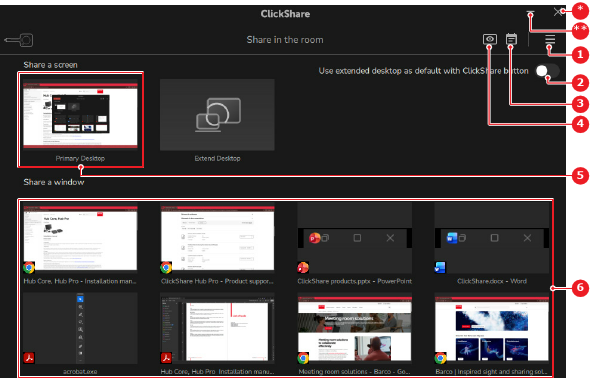
The room display window is shown and a  red eye icon is shown on the meeting room displays.