Availability
- Operating system: Android and iOS
- Base Unit: C-5, C-10, CX-20, CX-30, CX-50, C-5 Gen2, C-10 Gen2, CX-20 Gen2, CX-30 Gen2, CX-M, CX-50 Gen2, CB Core and CB Pro
- Room feature: N/A

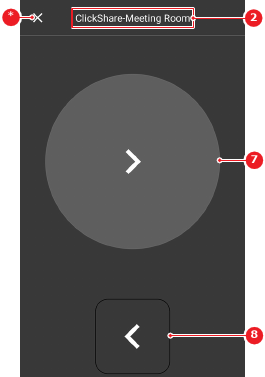
The clicker feature allows the Mobile App to function as a clicker that can show the next or previous slide in a presentation.
The mobile device must be connected to the ClickShare and another user device must be sharing a presentation. For more information, see:
Tap the clicker button (reference 5) in the Mobile App.

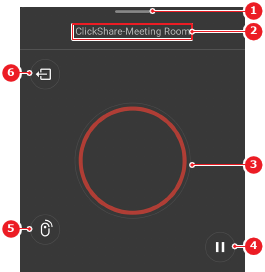
The clicker menu is shown.
Use the clicker.
 (reference 7) for the next slide.
 (reference 8) for the previous slide.