
Issue
ClickShare Base Unit rebooting failure when connected to Sony display (Model: BRAVIA 4K VH2 | Type: Sony KD-85X85J | Android 10). The failure symptom is that the Base Unit hangs on the Barco logo after the Base Unit is switched On.
This is an issue between EDID communication of the Sony display and our ClickShare.
Workaround
-
Check which HDMI™ port to connect ClickShare Base Unit. Ensure you change the HDMI™ format option to the correct HDMI™ port. The suggestion is to connect the ClickShare HDMI™ 1 or HDMI™ 2 port on the Sony display, as it is HDMI™ 2.0
The default option of HDMI™ format is standard format; we need select the option of [Enhanced format].
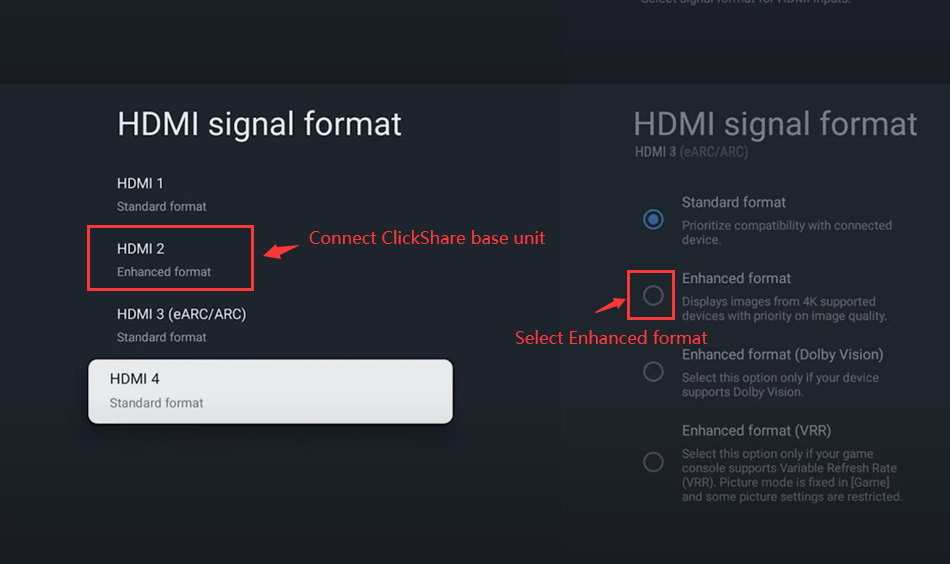
-
Ensure the ClickShare output resolution is set to 3840*2160 (preferred) in the ClickShare Configurator.
Do not use the default settings Auto. Furthermore, disabling CEC is recommended.
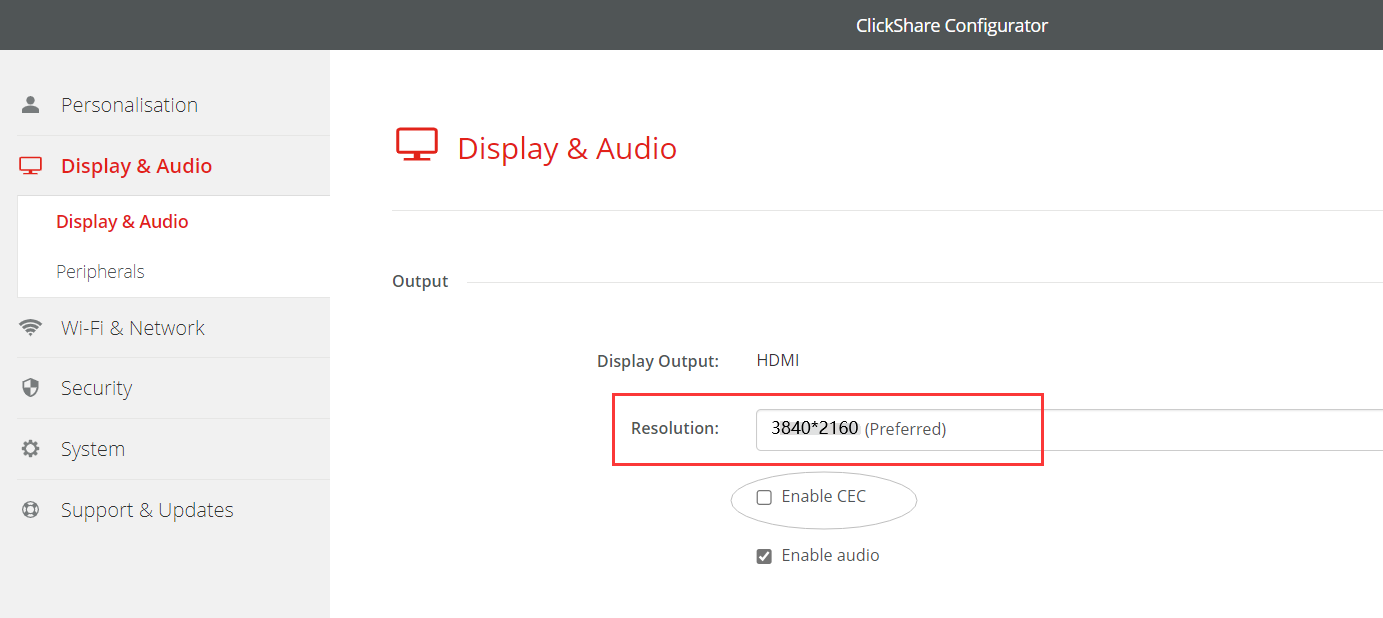
-
In rare cases, check the option on Sony display:
External input > Advanced settings > RS232 control and select Off. Do not use the default (via HDMI™ port).
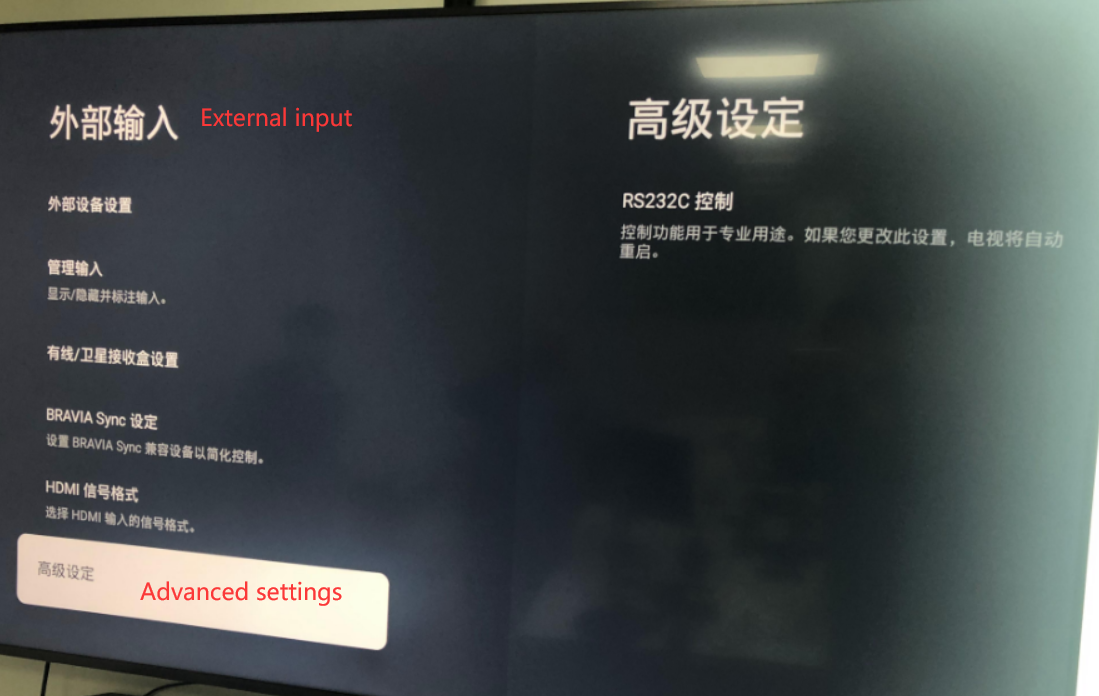
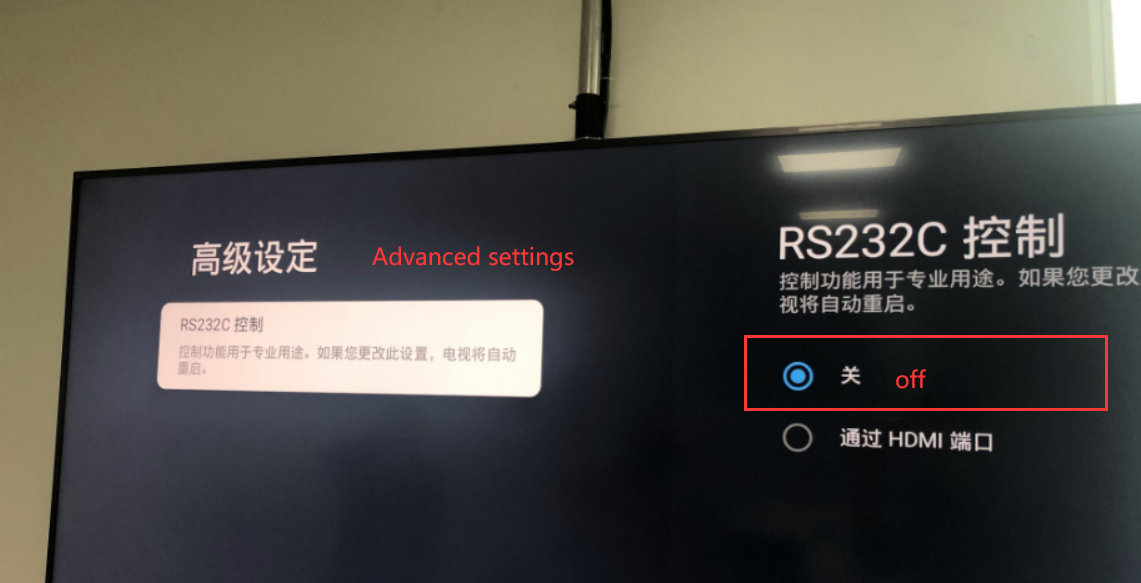
Note: If the problem remains, please contact Barco with the necessary information mentioned in KB4672.

