Description
It can be useful for many reasons to know the firmware version of your display.
This knowledgebase article will guide you on the different possibilities how to check the firmware of the Barco Diagnostic displays.
How to check?
There are 3 places where you can find the firmware version:
1. The OSD menu
To check the firmware version of the display using the OSD menu please follow the next steps:
- Activate OSD menu
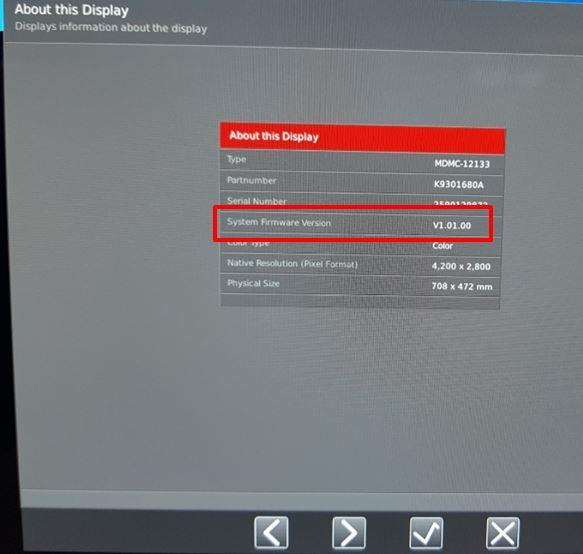
- With the soft touch buttons, navigate to "About this Display" and hit the 'V' button to open.
- Your firmware version is marked as "System Firmware Version"
2. MediCal QAWeb Agent
To check the firmware version of the display using the QAWeb Agent please follow the next steps:
- Open MediCal QAWeb Agent
- Log in as an advanced user
User: Advanced
Password: advanced - Click the "Configuration" button in the main window
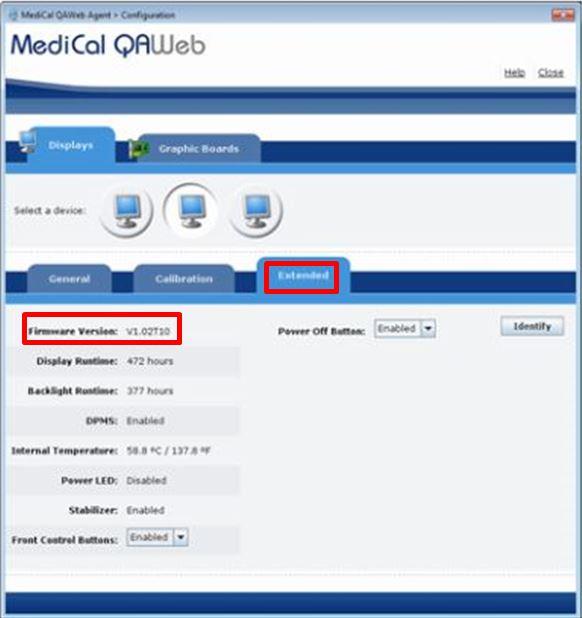
- Click the "Extended" button in the "Configuration" window
- Firmware version
3. Using MediCal QAWeb Server
To check the firmware version of the display using the MediCal QAWeb Server please follow the next steps:
- Browse to: https://service.medical.barco.com/server
- Log in with your credentials
- Go to Facility > Department > Workstation Overview
- Click the "Display information"
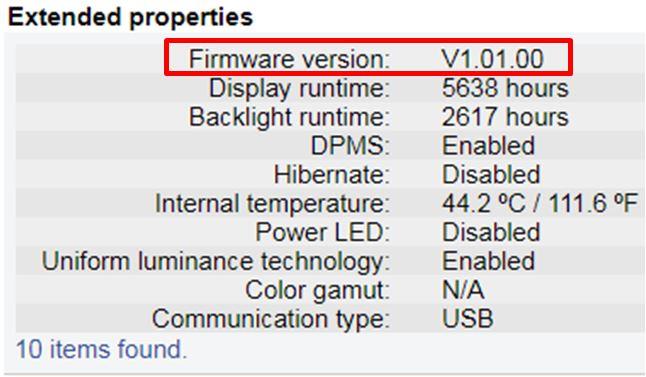
- Extended properties
- Firmware version