
Yes, depending on your ClickShare Base Unit model you can either use the Energy Savers settings or rely on CEC to achieve the required result.
When using the HDMI™ output of the CSE-200+ or C/CX-range, CEC is the advised method to achieve this (see KB4084 for more details). Alternatively, you can use the ECO mode of the ClickShare Base Unit (see below for more details).
For all other configurations, you can configure the ClickShare Base Unit in "ECO Mode". In this mode, when the ClickShare Base Unit wakes up, it will activate the HDMI™ output which the connected display or projector can detect to wake up.
As soon as a ClickShare Button is plugged into the laptop and the Client connecting to the Base Unit, the Base Unit will restore the video output signal to the display or projector, showing a welcome message or introduction screen.
You can enable "ECO mode" in the ClickShare Configurator: System > Energy Savers.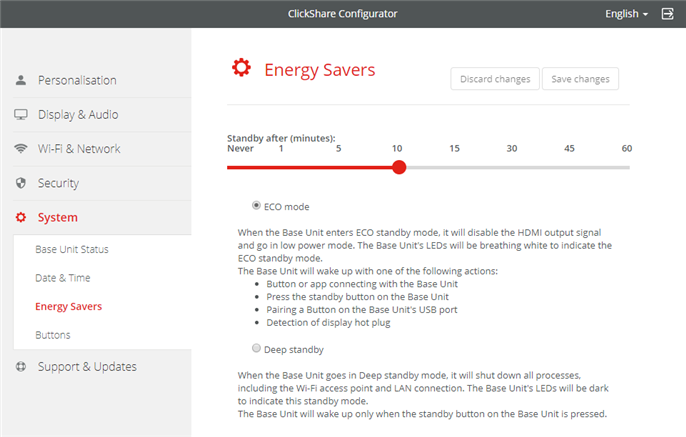

- Preguntas técnicas
- Autorización de devolución de material (RMA)
- Seguimiento del estado de las solicitudes de servicio pendientes
- Pedidos de consumibles y repuestos.
