
CSC-1 Base Unit can be reset to its default factory settings in two ways:
Warning! Restoring to factory defaults will require re-pairing of the Buttons used with that Base Unit (how to: see KB5924).
A. Using web interface:
- Log in to the web interface of your Base Unit.
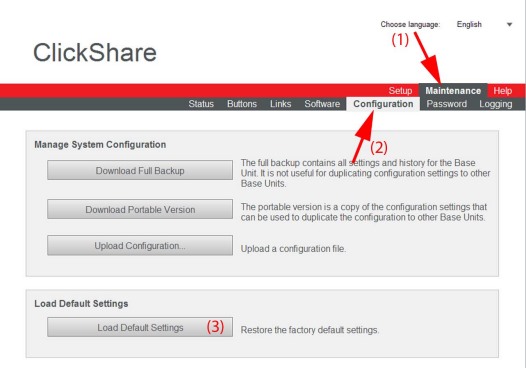
- Click the Maintenance tab (1), click Configuration (2) and then click on Load Default Settings (3) to restore the factory defaults settings.
B. Using external keyboard:
- With the Base Unit switched off, connect a USB keyboard to a USB port at the backside the Base Unit.
- Power up the Base Unit. The boot menu (GRUB) will open.
- Use the down arrow key to select Load Default Settings and press ENTER.
- The following message is displayed: This action will remove all settings of the Base Unit and replace them with the default settings. Are you sure you want to continue?
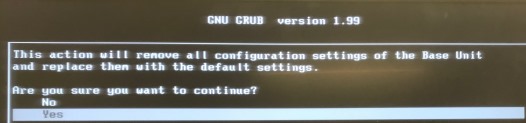
- Click Yes. The system will start a reboot, and the device will be back to default settings.

