Overview
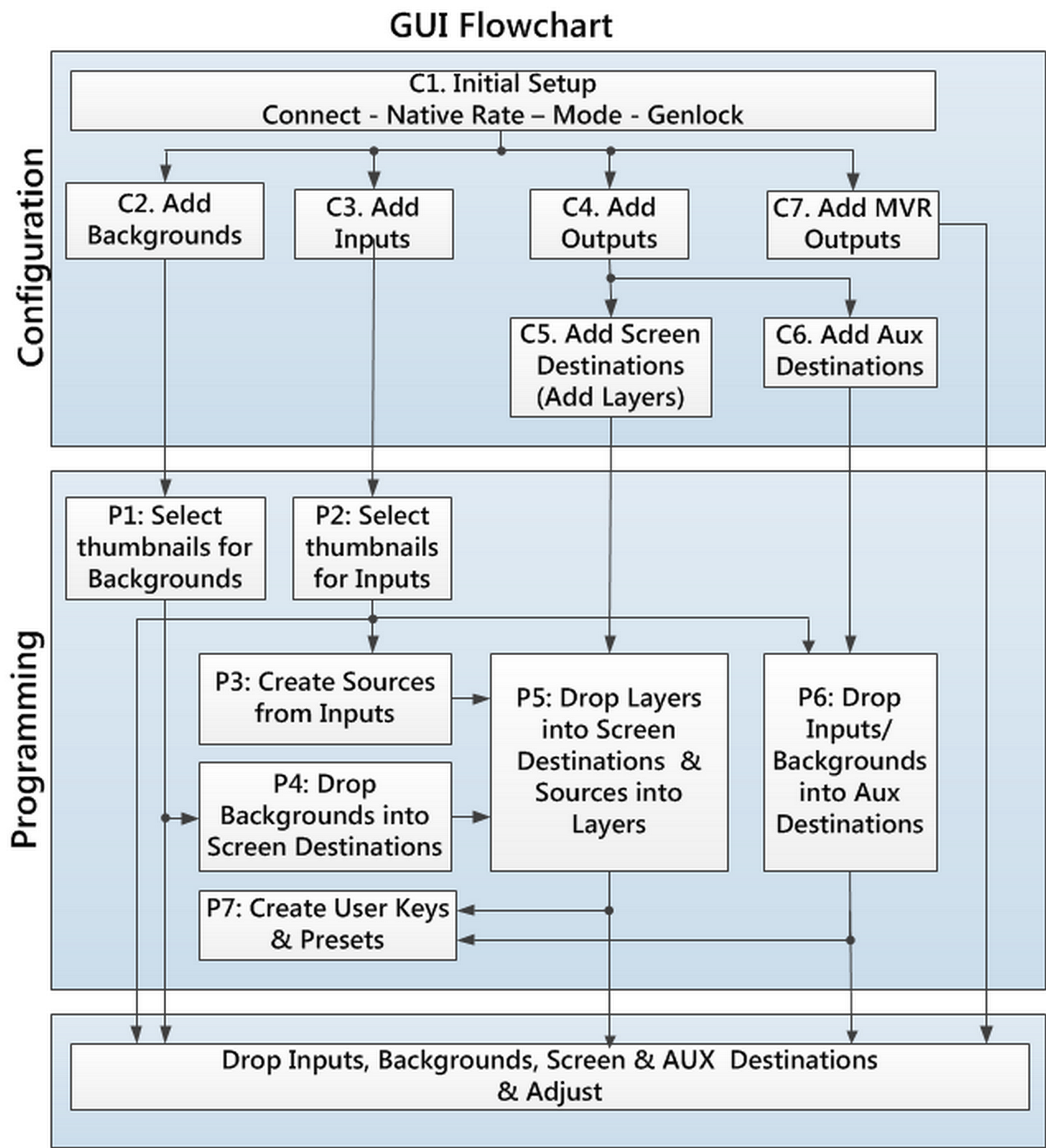
In this section we will use the control software (Event Master Toolset Software) to setup the E2 and create presets and user keys to be used during the event. We will follow the steps sequentially outlined in diagram bellow.

In this section we will use the control software (Event Master Toolset Software) to setup the E2 and create presets and user keys to be used during the event. We will follow the steps sequentially outlined in diagram bellow.
This diagram shows all the steps necessary to setup the system.
As outlined in the previous chapter the control software is divided in 3 parts: