Location
- Navigation side bar:
- Central work area: or
- Right panel: > (
 ) or > (
 ) or > (
 ) or >
 ) or > () or > () or >
 Event Master Toolset allows for a wide variety of modifications on a layer. These modifications do not affect the source nor other layers. Each modification is layered on top of the source to create a desired outcome.
To save time, layer edits can be saved under a user key. For more information, see “User keys”.
Is the layer locked ( )?
)?
 ) in the bottom panel (reference 34) and go to next step.

Select all the layers that must be edited the same way.

Are the desired changes saved in a user key?
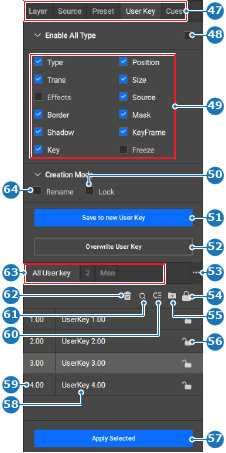
Select the desired layer type in the category (reference 47) of the right panel.
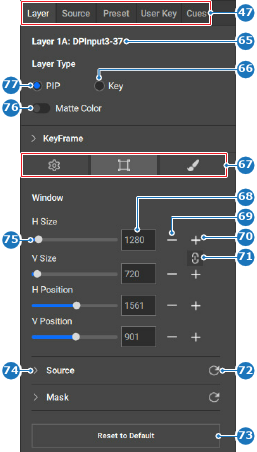
Edit the desired parameters of the layer using one or more of the following menus (reference 67, Image 8–126):
).).). ) in the header.