Location
>

>
Restore applies device configurations and user created shows from a ShowFile to the Encore3. Restoring overwrites any current configurations and shows that are present on the Encore3. Barco recommends creating a backup before restoring a ShowFile. For more information, see:
Select (reference 1) in the main window.
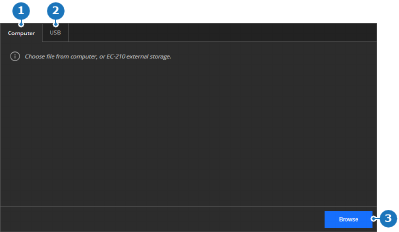
Click (reference 3, Image 6–19).
A pop-up window is shown.
Navigate to and open the desired ShowFile using the pop-up window.
The ShowFile is loaded into the memory of the Encore3 and appears on the right side.
Click Restore (reference 6).
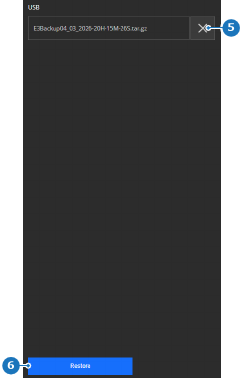
A confirmation pop-up is shown.
Click on (reference 8) to recall all settings from the ShowFile.
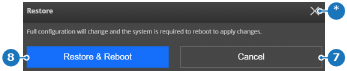
The ShowFile settings are applied and the Encore3 reboots.