
Barco zoekopdracht

myBarco-meldingen

Ongelezen

Lezen

Je hebt geen meldingen.

How do I configure the XMS (Virtual) Edge proxy settings when using XMS Cloud?

Artikelnummer: [2241] - Oude code: [11340]

Van toepassing op

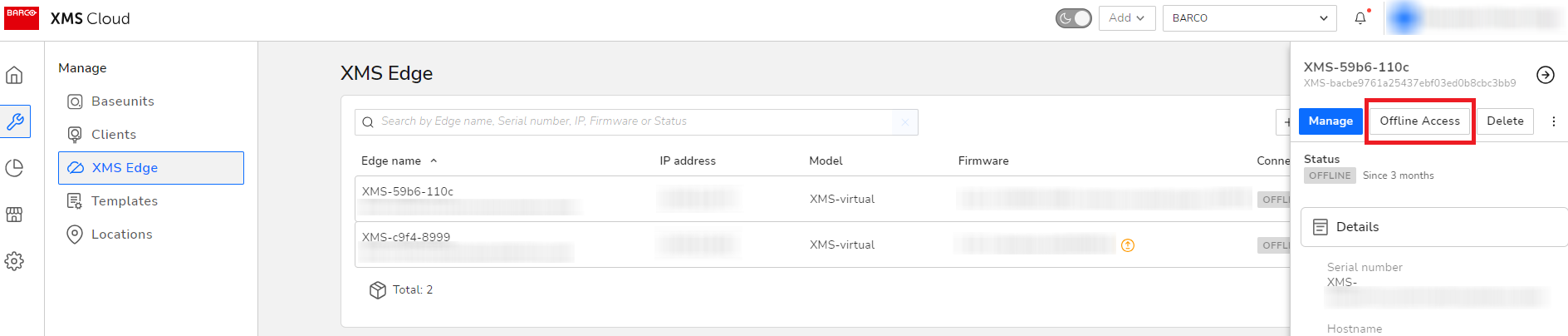
  1. In XMS Cloud, navigate to Manage > XMS Edges and select the XMS (Virtual) Edge for which you want to configure a proxy server. 
  2. In the Actions menu column, click the Quick View button and then select Offline Access.
    kb2241_01.png
     
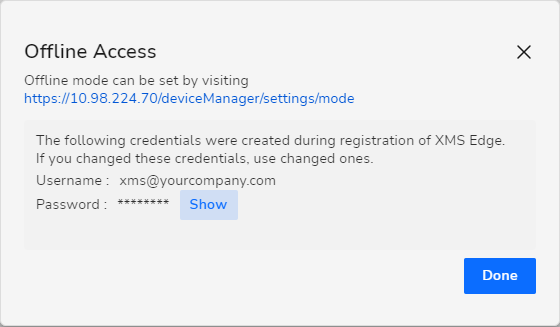
  3. Click on the URL of the XMS (Virtual) Edge).
    kb2241_02.png
     
  4. Within the XMS (Virtual) Edge configuration pane, navigate to Network > LAN settings.
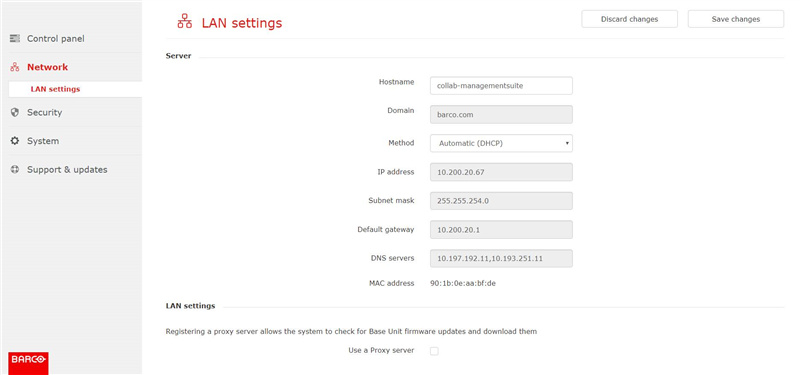
     
  5. At the bottom of the page, select ‘Use a Proxy server’ and fill out the Proxy server details.
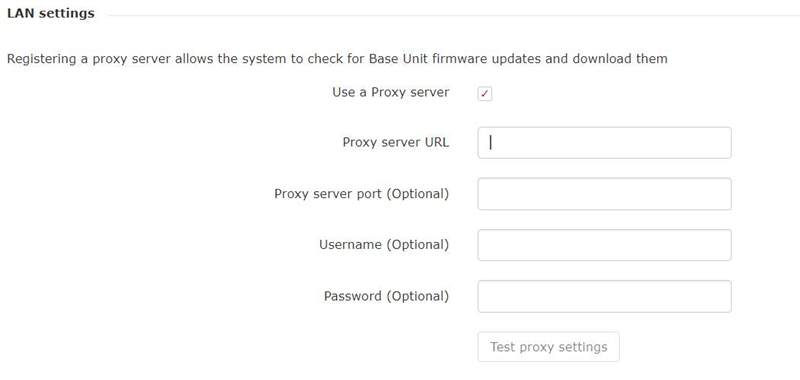
Note: General Cloud proxy server URLs are supported.

Eigenschappen

Laatst bijgewerkt 6 jan 2026

No solution found?

Phone support

Our helpdesk provides you with prompt phone support. A team of experienced support engineers is at your service for any professional assistance.