
Panasonic 4K TVs are by default set to support HDMI™ 2.1. We noticed that they do not fall back to the HDMI™ 1.4 standard used by ClickShare CX-50 Gen1.
To correct this, it is required to change the screen settings to HDMI™ 1.4, which supports mode 1 for the dedicated input.
In the Main Menu, go to Setup > HDMI Auto Settings. Here selects the input connected with the ClickShare device -> set it to "Mode 1"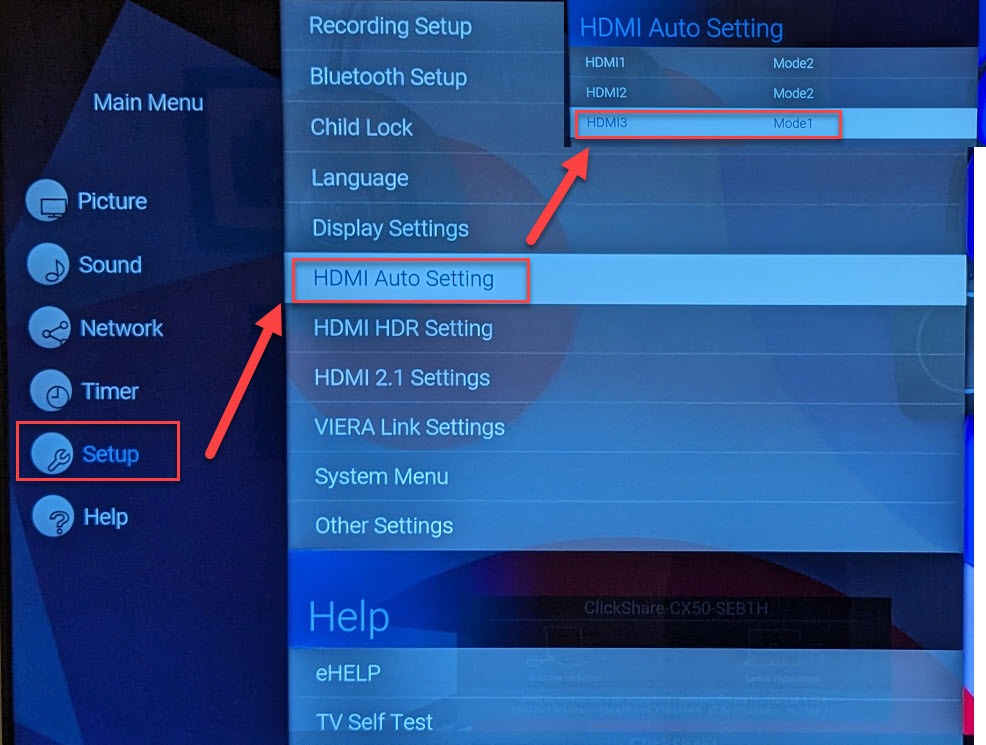
To verify the changes have been done correctly press the i button on the remote control of your TV/screen to check if the resolution is now set to 3840x2160@30Hz.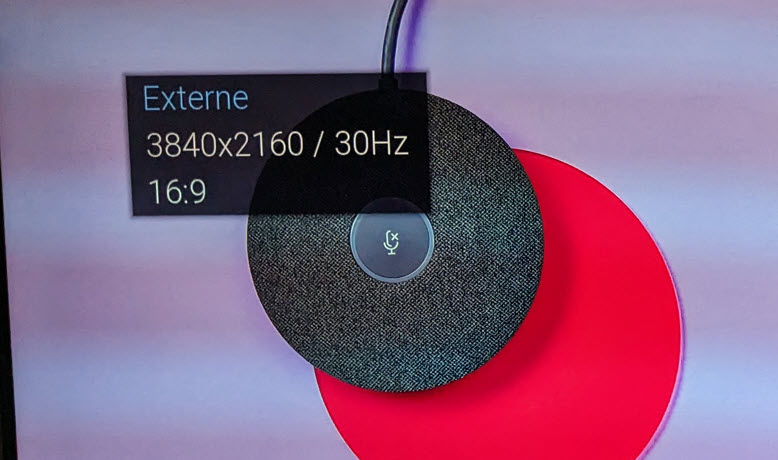
The location to modify this setting can vary depending on the screen model. It can also be called HDMI™ EDID settings, make sure this is the one that supports HDMI™ 1.4.
Note: If the problem remains, please contact Barco with the necessary information mentioned in KB4672.

