
On macOS 10.15 or above, when the ClickShare Desktop App (basic version) is launched, a security message will appear. To enable content sharing, the PC’s admin must configure the required screen‑recording permissions by following these steps:
-
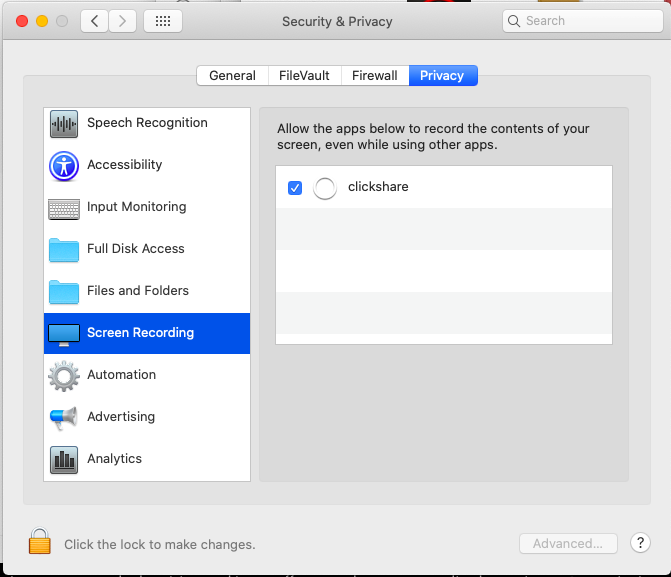
Open your System Preferences and go to Security & Privacy.
-
Select the tab Privacy.
-
In the left-hand menu, select Screen Recording or Screen & System Audio Recording.
-
Enable the checkbox next to ClickShare (required for screen sharing).
-
In the left-hand menu, select Accessibility.
-
Enable the checkbox next to ClickShare (required for Touchback).

Note:
If screen sharing does not activate immediately, toggle the ClickShare checkbox off and back on again to refresh the macOS permissions.
If issues persist after enabling the required permissions, refer to KB7993 for additional troubleshooting guidance

