Barco zoekopdracht

myBarco-meldingen

Ongelezen

Lezen

Je hebt geen meldingen.
Laatst bijgewerkt:

What really matters when choosing LED for simulation

5 min leestijd

Simulation demands visual systems that feel immediate, natural and distraction‑free. LED can deliver exactly that – but only when the right fundamentals are in place. Below is a clear guide to the criteria that truly influence training quality, trainee comfort and long‑term operational uptime.

Seeing clearly up close: why pixel pitch matters in simulation LED displays

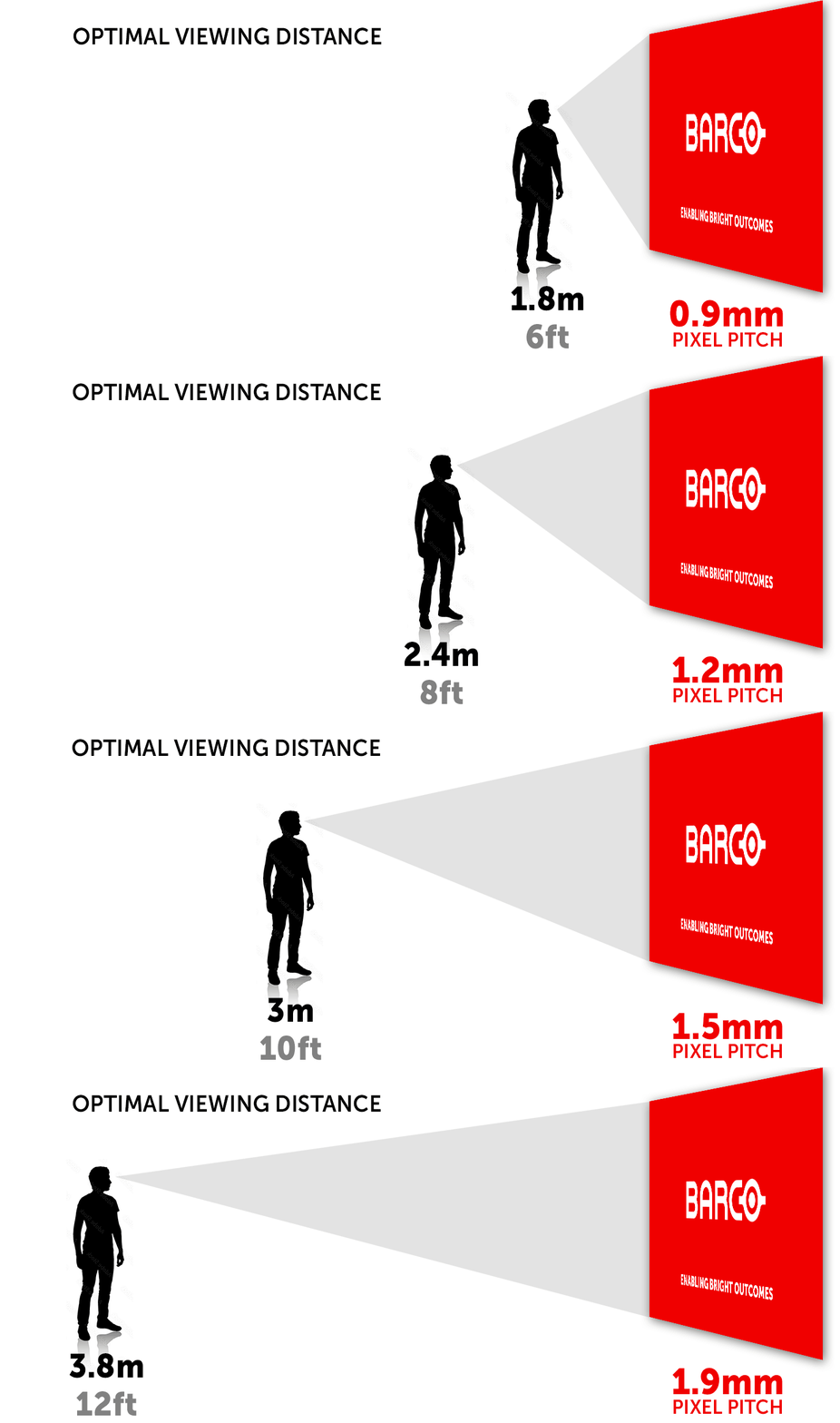
Simulation typically involves close viewing distances, which makes pixel pitch a critical first decision. Pixel pitch defines the centre‑to‑centre spacing of pixels, and directly affects how quickly the image smooths into a seamless picture when viewed from short distances.

Smaller pixel pitches reduce visible pixel structure and allow for shorter optimal viewing distances, making them better suited for simulator environments where trainees sit close to the display. Small pitches allow the optimal viewing distance to be shorter because the outlines of the pixel blocks blur sooner into a uniform image.

Simulation customers can therefore look at the distances between viewer and screen to identify the required pitch. Visual acuity and comfortable viewing standards show that finer pitches consistently reduce the minimum acceptable distance before pixelation becomes visible.

Read more about pixel pitch and viewing distance for LED walls

Low-latency LED displays for responsive simulation training

Latency affects how quickly visual updates reflect a trainee’s physical input. While many LED systems already perform well, ensuring delays remain under a few milliseconds is essential for motion‑intensive simulation. Research into motion blur and response optimization shows that even small delays can influence clarity and perceived motion stability, reinforcing why fast system response is essential in high‑fidelity environments.

Keeping latency minimal reduces the risk of motion sickness and ensures actions feel immediate – a necessity for training realism.

What is latency? Find out more in our glossary.

High frame rates and motion integrity in LED simulation displays

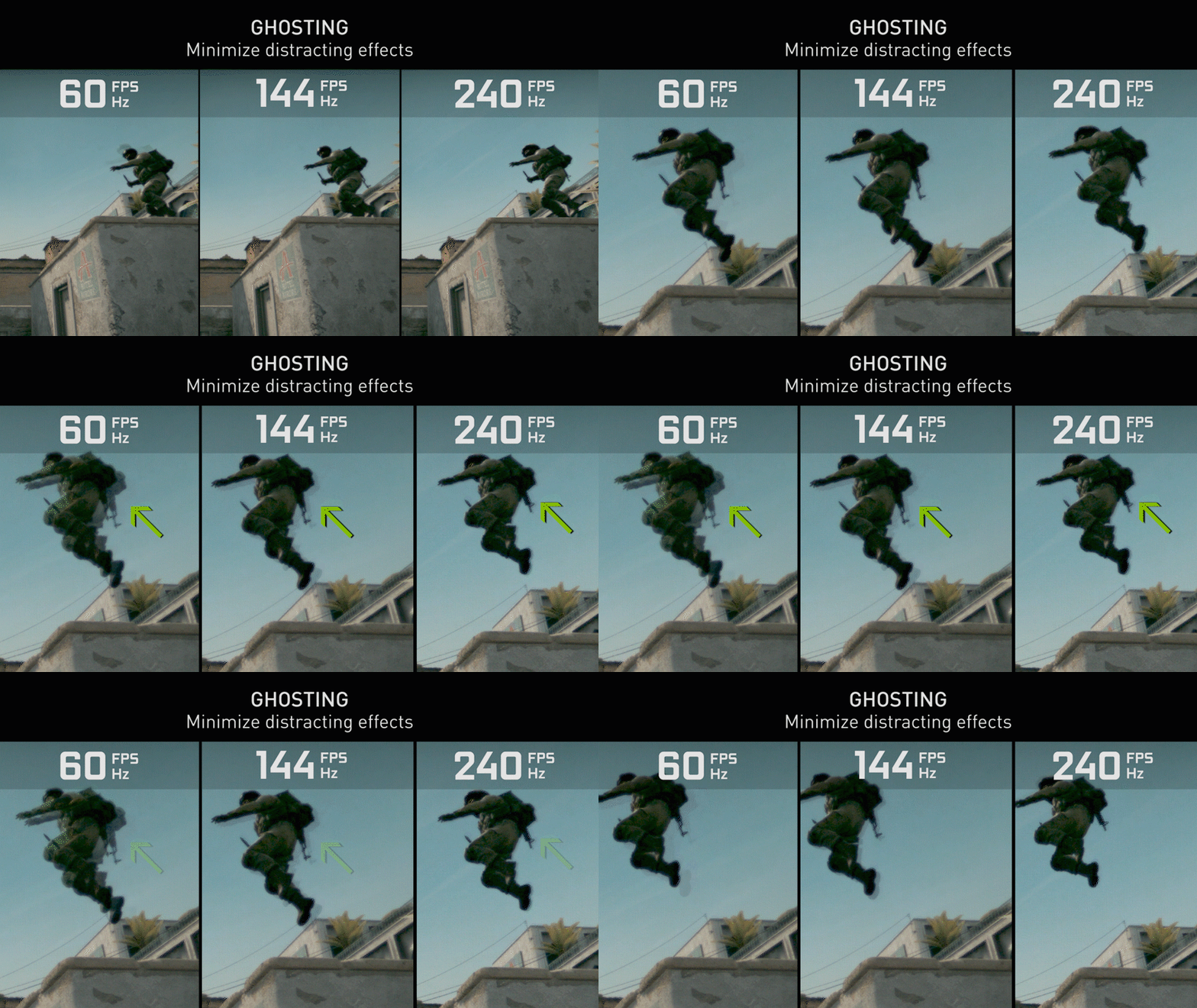
Training scenarios often involve rapid motion: aircraft roll, vehicle manoeuvres or fast tactical movement. High frame rates up to 240 Hz significantly reduce motion blur, resulting in clearer, more lifelike movement and better temporal stability.

At 240 Hz, motion appears smoother and more realistic because the higher framerate reduces the persistence of each individual frame. This reduction in blur, ghosting, tearing is critical for maintaining immersion and ensuring that motion cues are interpreted accurately by the trainee.

For advanced scenarios, high‑speed movement at 240 Hz eliminates visual artifacts and enables fluid camera tracking, providing a natural, uninterrupted experience that mirrors real‑world motion more closely.

Learn more about why high frame-rate processing matters in simulation.

Uniformity and calibration for realistic LED simulation environments

Color and brightness consistency is vital in simulation, where shadows, terrain detail and instrumentation must appear stable across the entire field of view. Pitch and viewing‑distance research highlights how pixel structure becomes less visible at appropriate distances, but uniformity still depends on proper calibration and consistent LED performance across modules.

Good calibration ensures that no portion of the display distracts or misleads the trainee. Uniform imagery supports realism, visual comfort and repeatability – cornerstones of effective simulation.

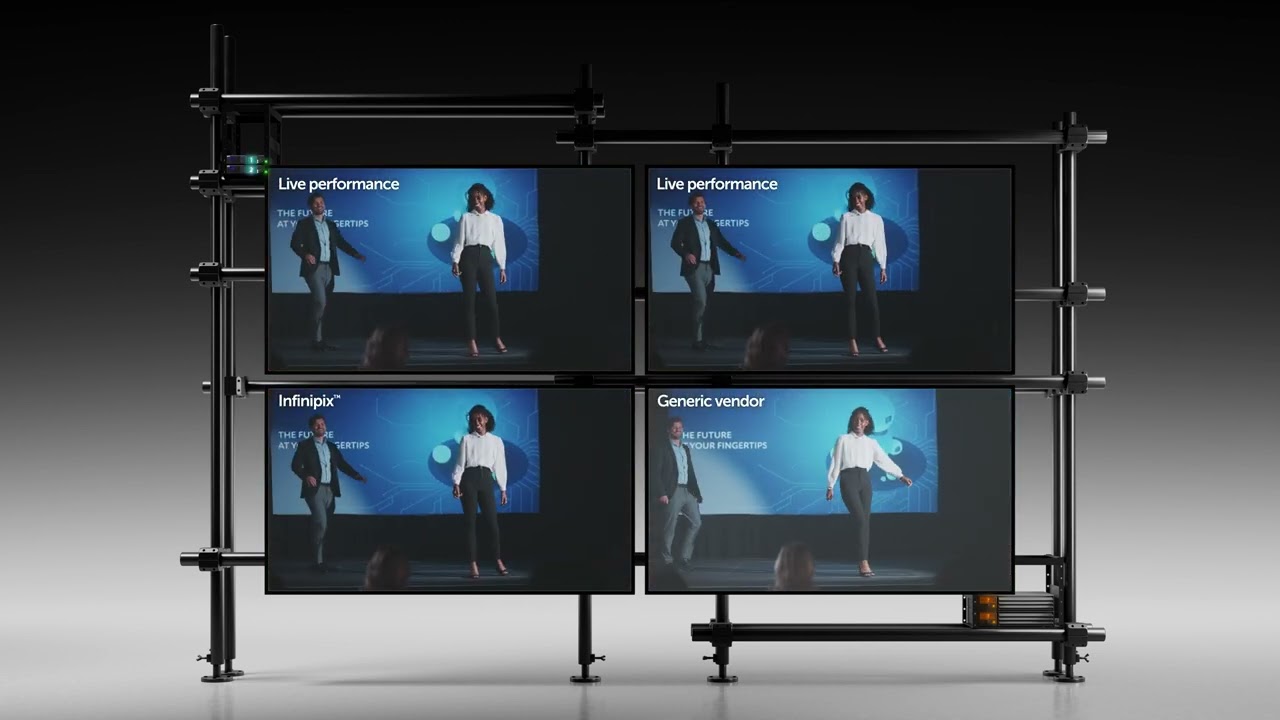
Dive deeper into how Infinipix processing elevates color precision and automates calibration.

Seamless curved LED walls for uninterrupted simulations

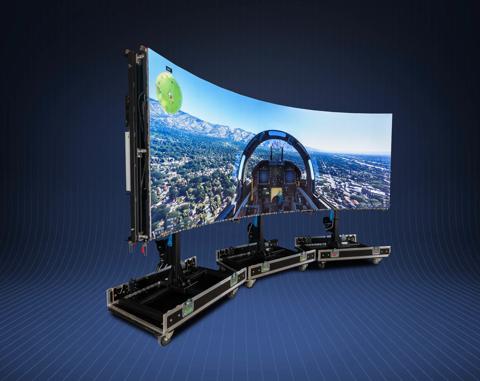
Many simulators require curved LED walls to wrap visuals around the trainee. Curved‑surface measurement principles confirm that tight radii demand precise mechanical engineering, correct module sizing and validated bend tolerances to avoid misalignment or artifacts at seams.

Poor seam handling can break immersion by introducing visible lines or luminance shifts. Flexible‑surface measurement guidance shows how incorrect module alignment or poor mechanical design creates seam artifacts, especially on curved or irregular surfaces where precise geometry matters.

For simulation, tighter curves (often below 2 m) enable larger fields of view without expanding the footprint of the simulator, amplifying immersion and operational efficiency.

Explore Barco’s curved LED options in our brochure.

Simulation LED engineered for uptime

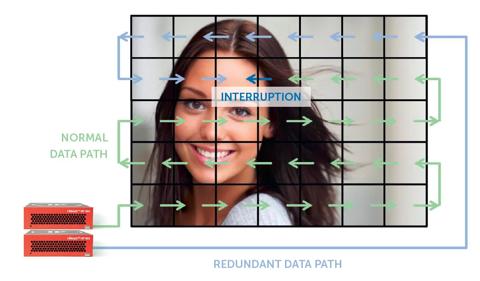
Simulation systems must operate for long, continuous periods without interruption. Power redundancy techniques such as dual power supplies, uninterruptible backup paths and redundant signal distribution ensure displays continue functioning even if one component fails. In LED systems, redundancy through dual power supplies or backup signal paths prevents blackouts and ensures mission‑critical uptime.

illustration redundant data path with Infinipix

High‑stability deployments often combine redundant controllers, redundant power, and full‑path redundancy to eliminate single‑point failures – a critical practice in environments where downtime is unacceptable.

LED systems that fit the simulation ecosystem

Simulation environments blend visual systems with sensors, tracking, motion platforms, image generators and control systems. Choosing LED solutions that integrate easily within this broader ecosystem reduces engineering risk and shortens deployment timelines.

Compliance with procurement standards, including requirements equivalent to TAA compliance, helps ensure secure and approved deployment for defense and government programs.

Check out Barco’s TAA compliant portfolio powering mission-critical training.

Final takeaway: what matters most in LED for simulation

LED delivers powerful advantages for modern simulation – but only when pixel pitch, motion performance, latency, uniformity, seams, mechanical design, redundancy and ecosystem readiness are deliberately aligned with the training requirements. This isn’t about chasing specs. It’s about building a display environment that disappears, leaving only the simulation.

Interested in exploring what this could look like for your project? Talk to Barco about tailoring an LED solution to your simulation requirements – from defining the right pixel pitch to designing curved, mission‑ready visual systems that integrate seamlessly into your training ecosystem.

Other articles by this author

Vorige
van ... Volgende