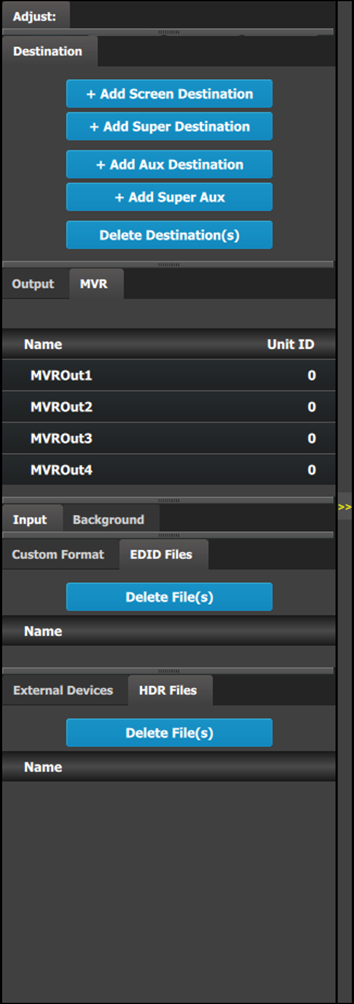
 | There are nine (9) tabs in this area: - Destination: a destination is a location where the user can route the output of Event Master series processor (screens, widescreens, monitors etc.). The user could assign the outputs that are created in the previous tab to destinations, and delete unused or obsolete destinations
- Output: the user can add or remove screen and auxiliary outputs in this list.
- MVR: the user can configure the output format and select test patterns for each multiviewer output connector.
- Input: this tab provides a list of all the created inputs. Here the user can create new entries by associating them with input connectors. It is also in this tab that the user can delete unused or obsolete inputs.
- Background: provides a list of backgrounds of the selected system. Similarly to inputs, the user can add and remove Backgrounds from the system.
- Custom Format: the user can add or remove custom formats. Once a custom format is added, the Adjust tab allows the user to adjust the timing, connector capacity, viewable horizontal pixels and vertical lines, and the vertical-scan frame-rate.
- EDID Files: the user can delete EDID files.
- External Devices: the user can add or remove external devices, for example, a Barco projector.
- HDR Files: the user can delete HDR files.
Always on top: - Adjustment: in this tab the user performs adjustments available for the selected item (device, input, background, output, destination). The content of this tab varies depending on the selected item. Access to this area is achieved from the System diagram area (click on device or on a destination) or in one of the tabs of the Adjustment area (input, background, output, destination) .
|
