165,000
Customers served
Germany · 2026
The ifm Group, a global leader in automation and sensor technology, depends on efficient communication to connect its worldwide teams, customers, and partners. With 165,000 customers, sales activities in 145 countries, and locations in around 50 countries, collaboration at ifm happens across borders, time zones, and working styles.
To support this complexity, ifm relies on Barco ClickShare video conferencing solutions to enable high‑quality hybrid meetings with the simplest possible user experience. Together with the globally networked integrator DataVision, ifm is standardizing its meeting and conference rooms worldwide, making it possible to start meetings and share content with just one click, while ensuring brilliant presentation experiences and true meeting equity.
Instant, one‑click wireless meetings with equity for all participants
Seamless hybrid collaboration worldwide across platforms (Teams, Zoom, Webex, and others)
Consistent meeting experience in every room
Flexible BYOD support for any device and platform
Reduced travel and increased meeting effectiveness
クッキーを受け入れていないようです
この動画を視聴するには、パフォーマンスクッキーを有効にしてください。
Customers served
Countries with ifm locations
ClickShare devices in use worldwide
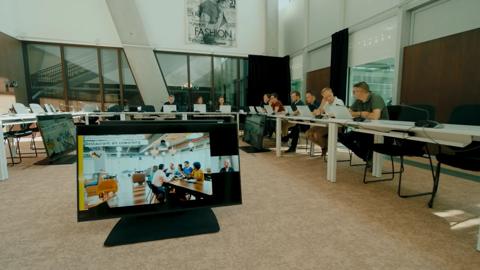
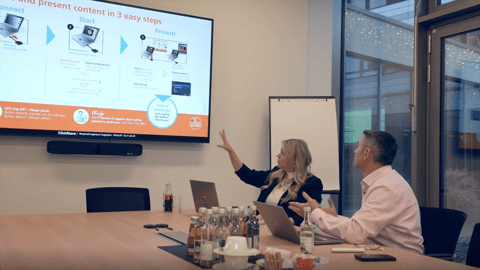
At ifm, collaboration happens every day: from project meetings with customers and development teams to international sales reviews and product presentations. Hybrid meetings bring together participants who are onsite and remote, combining the value of face‑to‑face interaction with the reach and flexibility of virtual collaboration.
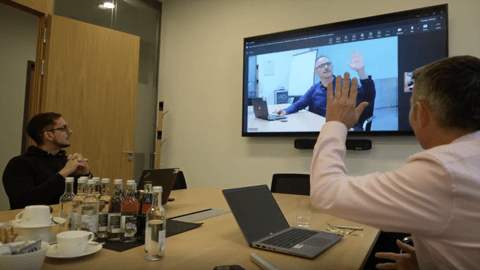
Hybrid meeting technology at ifm is a foundation for equitable participation. Ensuring that everyone can be seen, heard, and included regardless of location is critical to knowledge transfer and business outcomes.
“Since 2017, we have been relying on Barco’s extremely easy‑to‑use ClickShare solutions, which can really be described as a market pioneer,” says Hendrik Lutens, responsible for IT Backend Services and Unified Communication at ifm.
Joachim Hopp, who oversees audio and video conferencing technology for the Lake Constance region, adds: “With ClickShare, remote participants almost feel as if they are on site and no information is lost.”
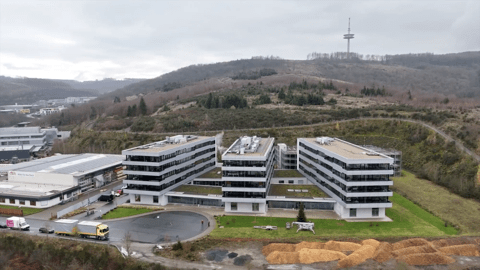
ifm has collaborated closely with DataVision Deutschland GmbH, a global audiovisual integrator that plans, supplies, installs, and services ClickShare solutions at ifm sites around the world. At ifm’s headquarters in Essen alone, 50 meeting rooms have already been implemented using ClickShare technology.
The goal is to establish ClickShare as a global standard across all ifm locations, ultimately spanning 72 countries. As ifm expands into regions such as China and Dubai, this consistent approach ensures scalability, reliability, and simplicity for end users everywhere.
Standardizing on ClickShare worldwide also brings operational predictability. With a five-year lifecycle aligned to Barco’s warranty, the devices provide reliable performance and simplify long-term budgeting and planning for IT teams across regions.
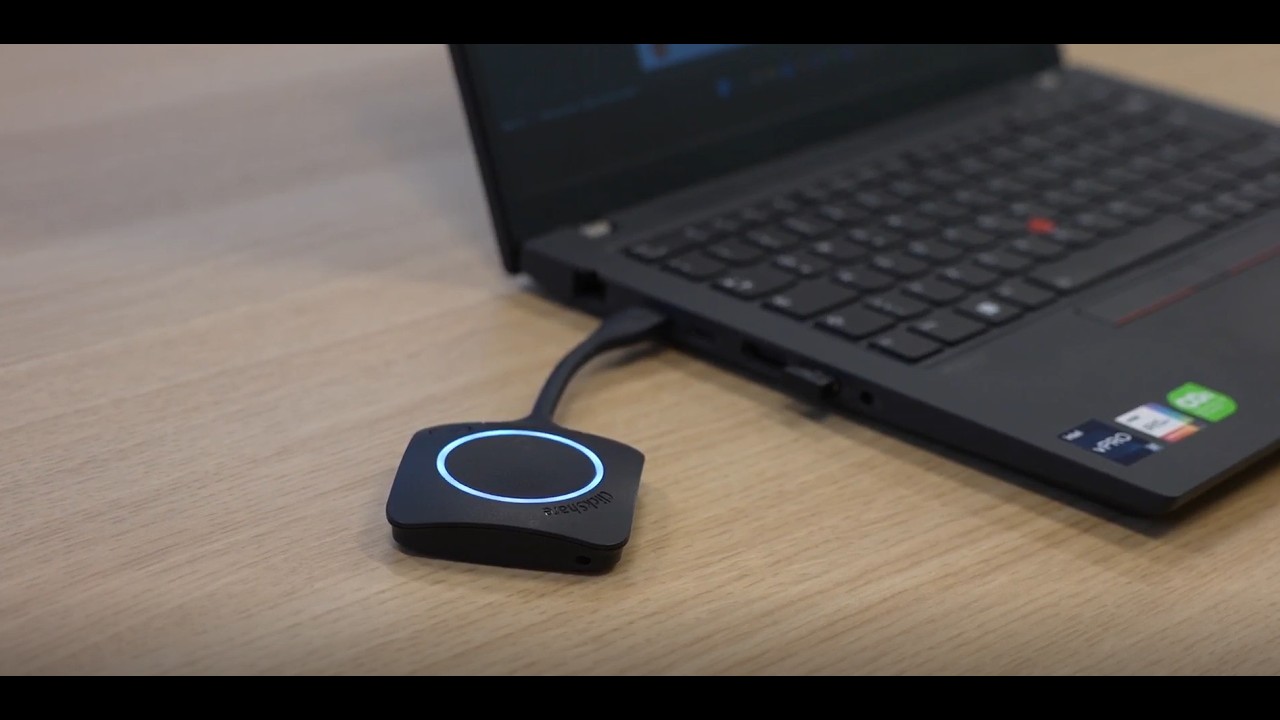
For ifm employees and guests, starting a meeting needs to be quick and intuitive, without training or technical setup. With a laptop and the ClickShare Button, meeting participants can connect to the room’s technology within seconds of entering the room – with just one click, regardless of which video conferencing platform they choose, be it Microsoft Teams, Zoom, Webex, or others.
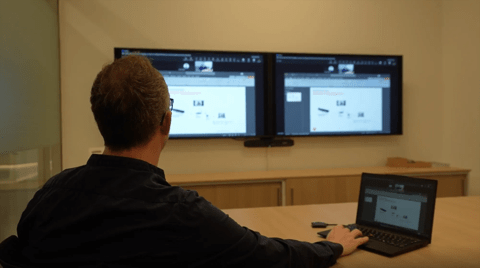
The ClickShare Button easily connects any type of laptop to the room’s peripherals: cameras, microphones, speakers, soundbars, and displays removing the need for cables, adapters, or manual configuration.
“It really doesn’t get any easier for the user,” Lutens says. “Thanks to ClickShare, we can equip our conference rooms with extensive collaboration technology without participants feeling the complexity.”
ifm has deployed multiple ClickShare models, but the ClickShare Conference CX‑50 2nd generation is now the most widely used solution across the organization.
What sets it apart is dual‑screen support for an immersive, inclusive experience. One screen can be dedicated to showing the people in the meeting – including remote participants – while the other screen shows shared content. This ensures that remote participants remain visible at all times, creating a more inclusive and equitable meeting experience that keeps both people and content in view.
“The CX‑50 2nd generation is a high‑end solution,” explains Lutens. “In addition to sharing presentations and supporting dual displays, it works seamlessly with the room's peripheral setup – including cameras and sound systems – which improves the overall meeting quality.”
In addition to the CX-50 2nd generation, ifm also standardizes on the ClickShare Bar – an all-in-one solution that combines wireless conferencing and content sharing with an integrated camera, microphones, and speakers.
By consolidating collaboration, audio, and video into a single device, the ClickShare Bar simplifies room deployment for IT teams. Installation requires only power and a connection to the room display, reducing complexity and minimizing potential points of failure.
“The ClickShare Bar convinced us technically,” says Hopp. “It brings all ClickShare collaboration capabilities together with audio and video in one device and greatly simplify administration. With just one device connected to a screen, deployment is much simpler and installation costs are reduced.”
Currently, 45 ClickShare Bars are already in use at ifm locations.
ifm operates more than 350 ClickShare devices worldwide, all administered through the XMS Cloud Management Platform. XMS Cloud allows administrators to install, configure, monitor, and update every device remotely. In case of issues, IT teams receive automatic notifications and can access any device to adjust settings or resolve problems.
For example, if an XMS alert indicates a peripheral isn’t responding, administrators can proactively troubleshoot without needing an onsite visit – improving uptime and user satisfaction.
XMS Cloud also provides valuable insights into room usage and capacity utilization.
“Every single conference room is always put to the test,” says Lutens. “With XMS, we can prove at any time how intensively our meeting rooms are being used.”
Security is a top priority for ifm. All ClickShare solutions undergo comprehensive internal evaluations and penetration tests, and regular firmware updates help continuously enhance security while optimizing the performance of the meeting rooms.
“ClickShare has been audited internally and is officially on our whitelist of approved network devices,” explains Hopp. “That means it can be used as a standard system worldwide.”
This gives ifm confidence that ClickShare meets stringent security and compliance requirements – a must for a high‑tech global enterprise.
One of the most tangible impacts of ClickShare deployment is meeting equity – the ability for participants, whether in the room or remote, to clearly see and hear each other, share content effectively, and participate fully in discussions. By making hybrid meetings feel natural and inclusive, ClickShare helps eliminate barriers that used to require travel.
Lutens explains: “Our investment in equipping and improving global meeting rooms is offset by savings in hotel and travel costs.”
More importantly, employees now benefit from higher‑quality meetings, clearer communication, and a stronger sense of connection, regardless of where they are located.“

Employees and guests can start hybrid meetings within seconds using the ClickShare Button – no training needed. They are instantly connected to the room’s display, camera, microphones, and soundbars.
ClickShare allows participants to connect effortlessly using their own laptops, phones, or tablets, and join meetings on their preferred video conferencing platform – whether Microsoft Teams, Zoom, Webex, or others.

XMS Cloud Management enables efficient device updates, monitoring, and troubleshooting, while meeting ifm’s stringent security requirements.
By enabling seamless sharing of both people and content to the room display, ClickShare keeps remote participants fully visible and involved. So every participant has the same opportunity to engage and be heard.
“Every ClickShare capability that simplifies hybrid meetings and enhances presentations is a win for our company. It empowers our teams to collaborate effectively – anywhere in the world.”