
PowerPoint Presenter Mode allows you to view speaker notes on your laptop while sharing slides to the meeting room display using ClickShare. This feature works with the old user interface of ClickShare Desktop App (v4.1.0.34 to v4.43) on both Windows and macOS.
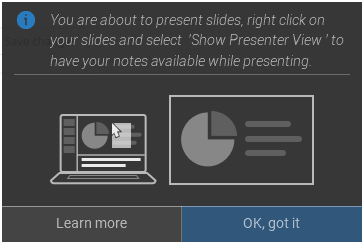
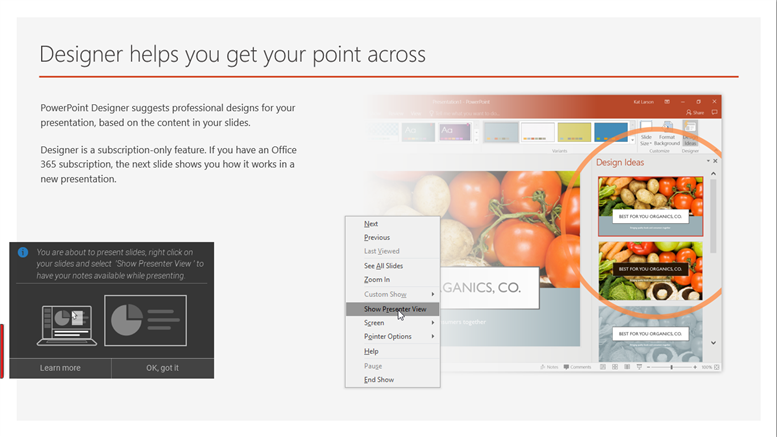
When sharing a Slide Show using Share an application you will be reminded of the Presenter mode functionality through a useful notification. This notification remains on screen for 10 seconds and is only shown the first five times your share a Slide Show.
Prerequisites
- Ensure old user interface is enabled in the ClickShare Desktop App (see KB9979)
Old user interface is no longer available from v4.44.0 onward - Use the Advanced Sharing feature in the ClickShare Desktop App (see KB2384)
- For CS/CSE Base Units: firmware version 1.9.2.12 or higher
How to use Presenter mode on Windows
To share your slides and use Presenter mode on Windows, simply follow these steps:
- Open your PowerPoint and start your Slide Show. This will show your presentation full screen on your PC.
- With the ClickShare Desktop App open, click the Advanced sharing icon.
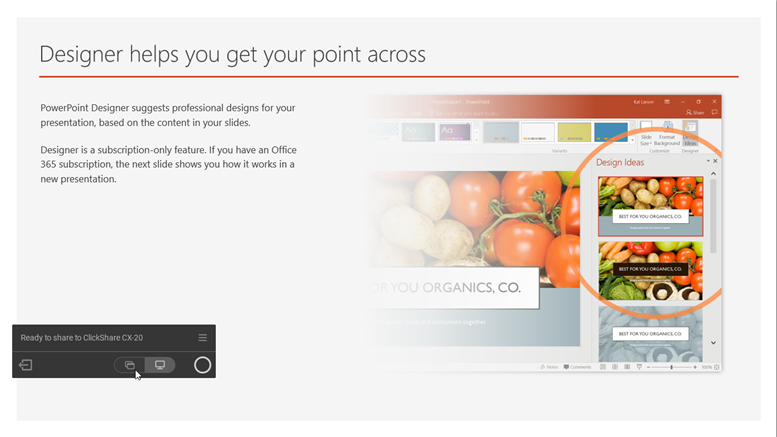
Note: If the installed ClickShare Desktop App version is below 4.3.0.8, select Share an application from the App menu.
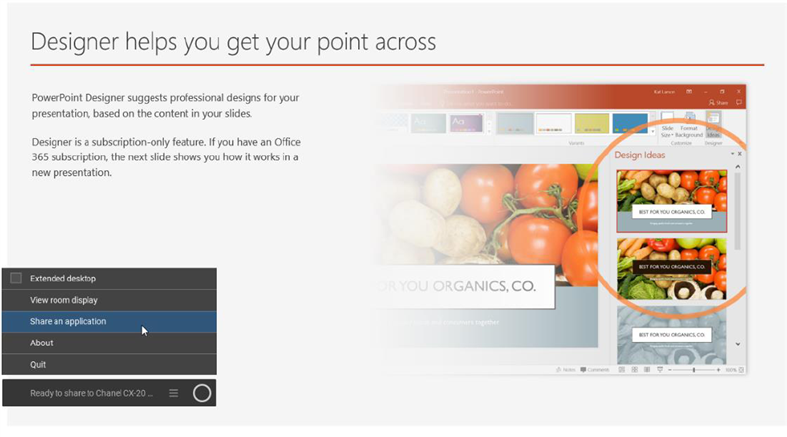
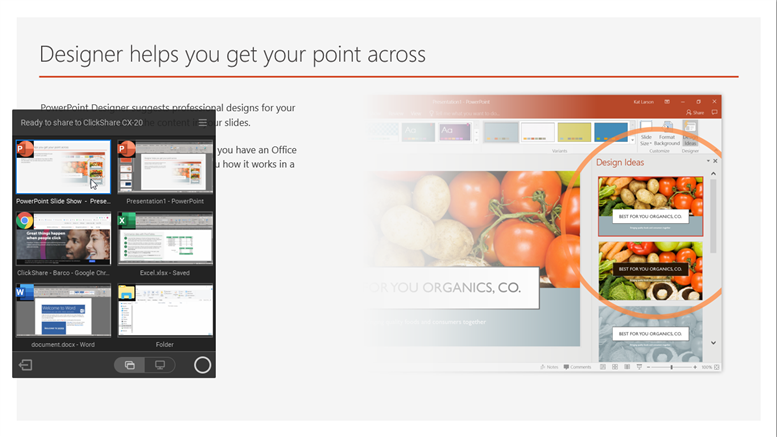
- Select the PowerPoint Slide Show to share to the meeting room display.
- On the full-screen presentation, right-click on the slide and select Show Presenter View to see speaker notes while sharing the Slide Show to the meeting room display.
How to use Presenter mode on macOS
To share your slides and use Presenter mode on macOS, simply follow these steps:
- Open your PowerPoint and start your Slide Show.
- With the ClickShare Desktop App open, click the Advanced sharing icon.
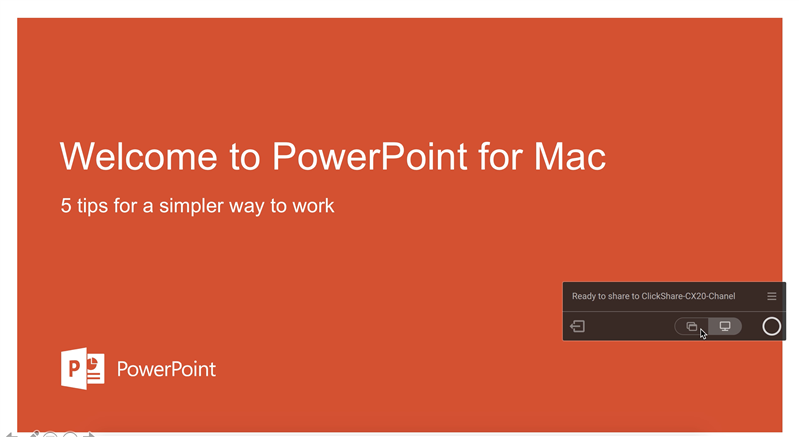
Note: If the installed ClickShare Desktop App version is below 4.3.0.8, select Share an application from the App menu.
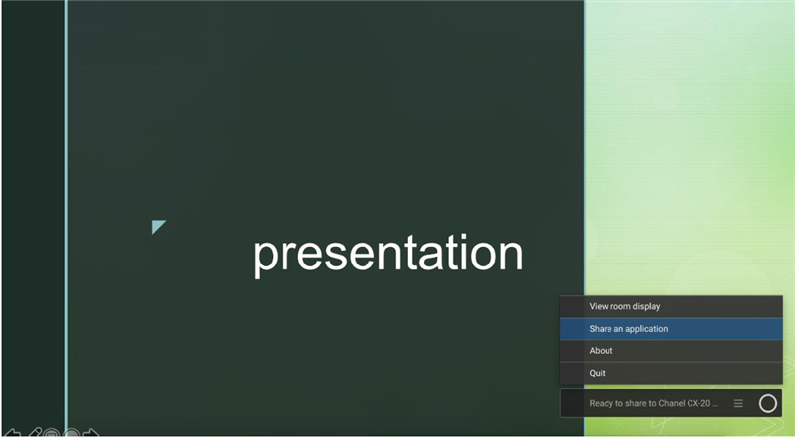
- Select the PowerPoint Slide Show to share to the meeting room display.
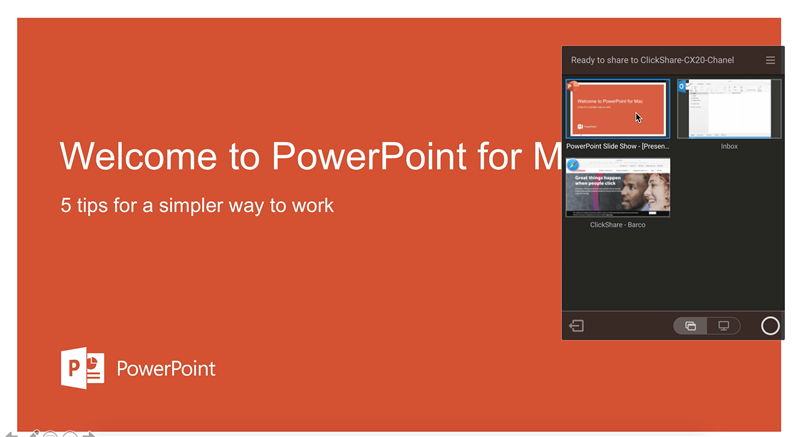
- Right-click on the slide and select Use Presenter View to see speaker notes while sharing the Slide Show to the meeting room display.

Additional information
- Using Presenter mode does not require installation of the ClickShare Extension Pack.
- For PowerPoint Presenter Mode with ClickShare Desktop App (current user interface), see KB6257
- For the Extended desktop feature with ClickShare Desktop App (old interface), see KB15522.

