

Want more control over how you share? The ClickShare App lets users duplicate their screen, extend their desktop, or share a specific application. It also provides an alternative sharing path when a laptop does not support DisplayPort Alt Mode and helps organizations create a consistent default sharing experience across meeting rooms.
Some might wonder why a physical button still matters in a world of software-driven, hardware-light meeting rooms.
The answer lies in human behavior.
People feel more confident when the next step is obvious. In an unfamiliar meeting room, the struggle often starts long before a technical issue appears. They may not know whether they need to connect to the room network, launch a specific app, select the correct display, or follow a series of on-screen prompts. Even when those steps are straightforward, they still require decisions.
The ClickShare Button removes that uncertainty by giving people a clear physical cue. Connect the Button and press when you are ready to share. It is a simple, familiar interaction that requires virtually no explanation.
This is especially valuable for occasional users, visitors, and guests. These are often the people least familiar with the meeting room environment and the most likely to feel pressure when presenting in front of colleagues or customers. Instead of figuring out an unfamiliar setup, they can focus on what they came to share.
That confidence is one of the reasons the ClickShare Button has become such a recognizable part of the ClickShare experience. It turns a technical task into something approachable.
Meet the 5th generation ClickShare Button
While the experience remains familiar, the technology behind it has evolved to meet the needs of modern meeting rooms.
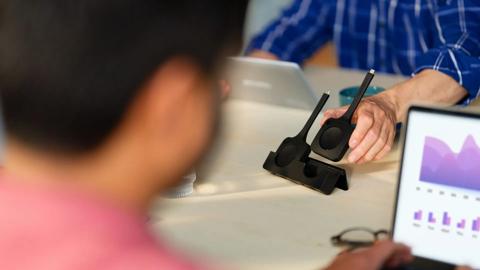
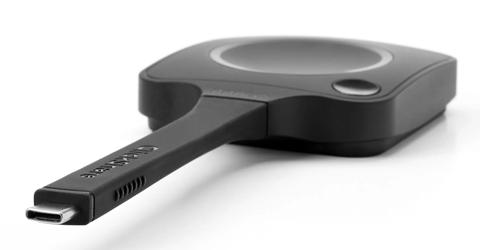
The 5th generation ClickShare Button is designed for organizations that want simple, reliable content sharing while supporting today's laptops, displays, and workplace expectations. It combines the familiar one-click experience with several important technical enhancements.
The latest Button supports high-definition 4K content sharing, helping teams present detailed visuals with greater clarity. It also features Wi-Fi 6E for a more secure and robust wireless connection, offering increased bandwidth for uninterrupted meetings and smoother collaboration. In addition, it introduces USB-C DisplayPort™ support.
What USB-C DisplayPort™ actually does
USB-C DisplayPort™ may sound like a feature aimed at technical audiences, but its value is considerable for all, from AV and IT teams to meeting participants.
Traditionally, sharing content often depended on specific security policies, software, drivers, adapters, or additional setup steps to establish a connection between a laptop and a room display.
The latest ClickShare Button supports DisplayPort Alt Mode over USB-C, allowing video signals to be transmitted directly through the USB-C connection.
Sharing content works the same way. Connect the Button and press. But the experience is net superior for everyone involved.
Content can now be carried directly from the laptop to the meeting room display without requiring driver downloads or jumping through backend hoops on the IT side.
This is particularly useful in environments where users work on managed corporate devices with strict software installation policies.
Guest presenters are the great winners here! External visitors often arrive with laptops governed by security restrictions that prevent them from downloading applications or accessing company networks. In those situations, removing the need for software can mean the difference between a smooth start and an awkward delay.
The Button is also compatible with all major operating systems, including Windows, macOS, ChromeOS, and Linux. Whether someone is using a company-issued laptop or their own device, the experience remains familiar and consistent.
For AV teams, USB-C DisplayPort™ aligns with the growing adoption of USB-C across modern laptop fleets. For IT teams, it helps deliver a more predictable user experience. For everyone else, it simply makes content sharing feel effortless.
And that's exactly how it should be.
Better content sharing for modern meetings
The way people collaborate has changed.
Meetings are no longer centered on slide decks alone. Teams regularly share product designs, business intelligence dashboards, data visualizations, reports, demonstrations, and high-resolution media. The quality of the content being presented often shapes the quality of the discussion around it.
When details are hard to see, collaboration slows down. Participants spend time zooming in, repeating information, or trying to interpret visuals that should be instantly clear.
The 5th generation ClickShare Button supports high-quality 4K content sharing to help preserve visual detail when presenting complex information. Whether teams are reviewing financial data, architectural plans, product concepts, or creative work, the focus can remain on the content rather than the technology delivering it.
As meeting rooms continue to support both in-person and hybrid collaboration, content sharing should feel reliable and consistent. People want confidence that what appears on their laptop will appear on the room display quickly, clearly, and without distraction.
The Button is designed with that goal in mind.
Effortless sharing, with greater privacy and control
As meeting rooms become more connected, ease of use shouldn't come at the expense of control.
One of the ClickShare Button's most practical advantages is that sharing only begins when the user decides it should. Connecting the Button to a laptop does not automatically place content on the room display. Presenters stay in control until they deliberately press the Button to start sharing.
That might sound like a small detail, but it solves a surprisingly common challenge.
Many professionals have experienced the moment when a screen starts mirroring before they're ready. A draft presentation is still open. Private notes are visible. Email notifications appear unexpectedly. Or perhaps they simply want a few moments to gather their thoughts before addressing the room.
The ClickShare Button creates a clear separation between preparing and presenting. Users can connect, get ready, and start sharing when they're comfortable.
For presenters, that creates confidence. For organizations, it supports privacy-conscious content sharing. For everyone in the room, it helps meetings begin in a more controlled and predictable way.
The Button and ClickShare Hub
The latest ClickShare Button is designed to work seamlessly with ClickShare Hub, extending the familiar ClickShare experience into modern wireless conferencing spaces.
ClickShare Hub brings together room devices, wireless content sharing, and video conferencing in a modular solution built for everyday meeting spaces. It gives organizations the flexibility to create standardized meeting experiences while adapting to changing collaboration needs over time.
Within that ecosystem, the Button plays an important role. It provides the simplest and most direct path to sharing content from a laptop, offering a familiar interaction that users can rely on regardless of their technical expertise.
That consistency matters because successful meeting experiences are built on trust. People should feel confident walking into a room, connecting their device, and getting started without hesitation.
The Button helps make that possible.
Small button. Big meeting-room magic.
The 5th generation ClickShare Button introduces meaningful enhancements, including USB-C DisplayPort™ support, Wi-Fi 6E connectivity, and high-quality 4K content sharing. Yet its value has never been defined by specifications alone.
Its real value lies in what it removes.
It removes uncertainty at the start of a meeting. It removes barriers for guests who need to share quickly. And it removes unnecessary complexity from an experience that should feel natural from the very beginning.
The technology works quietly in the background so people can focus on what brought them into the room in the first place: sharing ideas, collaborating with colleagues, and making decisions together.
Sometimes the smallest devices have the biggest impact on the meeting experience. The ClickShare Button is proof of that.

Latest articles by Gauthier Renard
news · 4 min read · Jun 2, 2025
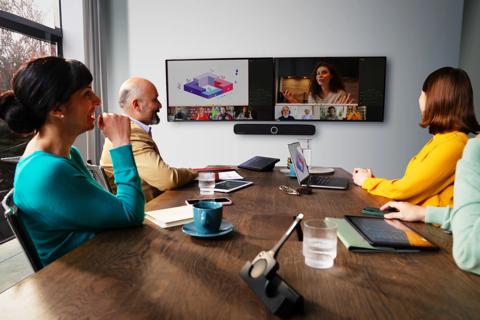
Introducing ClickShare Hub: a modular video conferencing room system built on Microsoft Device Ecosystem Platform
Discover ClickShare Hub, one of the first modular video conferencing room systems built on Microsoft Device Ecosystem Platform, helping you equip every meeting room with the most flexible, future-proof, and user-friendly solution.

Article · 10 min read · Feb 24, 2025
ClickShare optimizes BYOD meeting spaces with Microsoft Teams integration
Many business leaders dream of a highly productive workplace that enhances collaboration. In fact, we’re not that far off. ClickShare has collaborated with Microsoft to ensure BYOD user enhancements in Teams are enabled within ClickShare Conference (CX) meeting spaces. The end-user features work in parallel with product enhancements optimizing the daily management for IT administrators through integrated insights.
Article · 6 min read · Feb 5, 2025
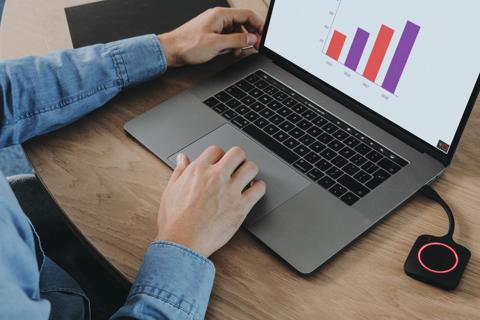
ClickShare’s latest innovations bring seamless Teams meetings to BYOD rooms
Thanks to Microsoft’s recent optimizations, joining a Teams meeting has become more personalized and intuitive, regardless of the room type. These new advancements are now seamlessly integrated into ClickShare’s workflows. Find out what's new!