

Organizations investing in meeting room technology need solutions that are easy to use, easy to manage, and consistent across every space. Microsoft Teams Rooms has become a popular choice because it brings the familiar Microsoft Teams experience into the meeting room itself.
But what exactly is a Microsoft Teams Room, how does it work, and what should organizations consider before deploying one?
This guide explains everything you need to know about Microsoft Teams Rooms, including room components, deployment options, licensing, room design considerations, and how to support flexible meeting workflows.
Table of contents
What are Microsoft Teams Rooms?
Microsoft Teams Rooms is a dedicated meeting room system that brings the Microsoft Teams meeting experience into a physical meeting space.
Rather than relying on participants to connect their own laptops and peripherals, the room runs Microsoft Teams natively on dedicated, certified devices. Meetings can be joined with a single touch, while audio, video, and content sharing can be managed as one integrated experience.
The goal is to create a consistent and reliable meeting experience, regardless of which room people use.
What makes up a Microsoft Teams Room?
A standard Microsoft Teams Rooms setup often combines:
- A compute device (Windows or Android)
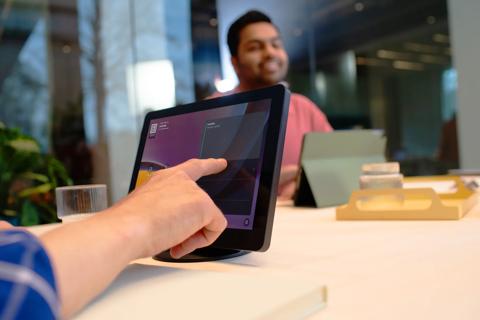
- A touch console for meeting control and one-touch join
- Certified peripherals such as camera, microphones, and speakers
- One or two front-of-room displays
- A Microsoft Teams Rooms license
Depending on the solution, some or all of these components may be integrated into a single device. For example, many video bars combine the compute platform, camera, microphones, and speakers into one unit.
Whether deployed as separate components or as an all-in-one solution, these elements work together to create a consistent user experience across meeting spaces.


Terminology that matters
Microsoft Teams is the collaboration app used for chat, meetings, calling, and content sharing across devices.
Microsoft Teams Rooms refers to the platform itself, including the software experience, management tools, and certification ecosystem.
A Microsoft Teams Room is the physical meeting space equipped with certified devices running the Microsoft Teams Rooms platform.
Why organizations standardize on Microsoft Teams Rooms
Many organizations choose Microsoft Teams Rooms because they deliver a consistent meeting experience while simplifying room management.
Users can walk into a room and join meetings with a single tap. There is no need to connect cables or spend time troubleshooting room technology.
Organizations can manage users, devices, policies, and room settings through familiar Microsoft administration tools.
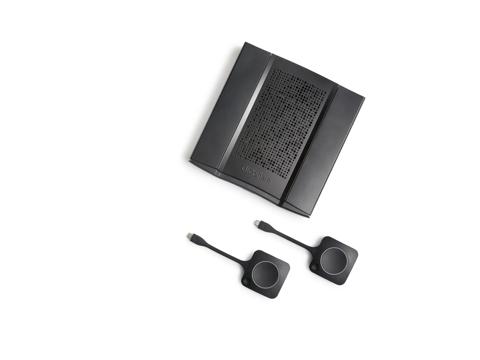
Devices certified for Microsoft Teams, such as the ClickShare Hub bundles, are tested for compatibility, quality, and performance, helping ensure a reliable user experience.
Microsoft Teams Rooms includes AI-enhanced capabilities, such as IntelliFrame and Facilitator AI, designed to create a more inclusive meeting experience for remote and in-room participants.
As Microsoft continues to invest in AI-powered collaboration, organizations should consider not only current meeting needs but also future platform capabilities when selecting room systems.
Windows vs Android Microsoft Teams Rooms
Microsoft Teams Rooms can run on either Windows or Android. Both deliver a consistent core Teams experience, with differences in deployment and management approaches.
Windows-based Microsoft Teams Rooms
Windows systems are often selected when organizations require:
- Support for complex room environments
- Modular peripheral configurations
- Advanced integrations
- Extensive room customization
These deployments are commonly used in larger meeting rooms, training spaces, and specialized environments.
Android-based Microsoft Teams Rooms
Android-based systems are typically designed around streamlined deployment and simplified management.
Benefits include:
- Simplified setup and administration
- Consistent experiences across room types
- Reduced maintenance requirements
- Support for Microsoft Device Ecosystem Platform (MDEP) on compatible devices
Organizations seeking efficient deployment across multiple rooms often consider Android-based solutions.
What is MDEP?
The Microsoft Device Ecosystem Platform (MDEP) is Microsoft's enterprise Android platform for shared devices.
For Microsoft Teams Rooms devices built on MDEP, the platform provides a common foundation for:
- Device management
- Security updates
- Application deployment
- Lifecycle management
It's important to note that not all Android-based Microsoft Teams Rooms devices are built on MDEP.
Choosing between Windows and Android
In general:
- Modular flexibility
- Advanced room customization
- Legacy peripheral support
- Complex integrations
- Simplified deployment
- Streamlined management
- Consistent room configurations
- Lower operational overhead
The key is to match the platform to the actual room requirements rather than assuming Windows is always for complex setups, or Android is always for simple setups.

Microsoft Teams Rooms licensing explained
Every Microsoft Teams Room requires a license.
Teams Rooms Basic
Teams Rooms Basic includes:
- Core meeting functionality
- Scheduling and one-touch join
- Content sharing
- Basic device management
This license is available for up to 25 Microsoft Teams Rooms per tenant.
Teams Rooms Pro
Teams Rooms Pro adds:
- Advanced meeting experiences such as Front Row
- Centralized management and analytics
- Remote monitoring
- Policy management
- Access to advanced meeting features, including certain AI-powered capabilities*
In practice, many organizations standardize on Teams Rooms Pro when managing multiple meeting spaces at scale.
*Availability of specific AI-powered features may depend on room hardware, licensing, Microsoft Teams Premium, Microsoft 365 Copilot licensing, administrative settings, and regional availability.
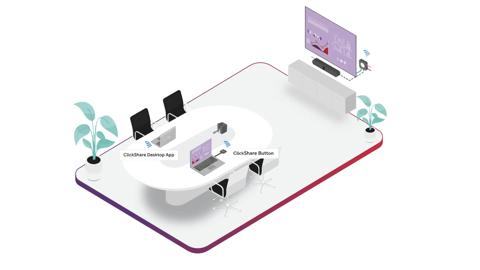
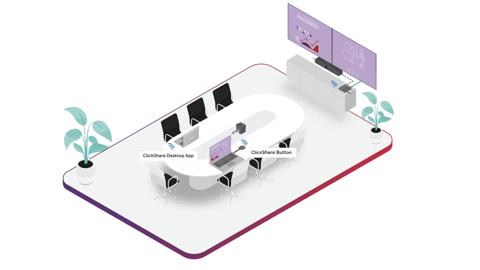
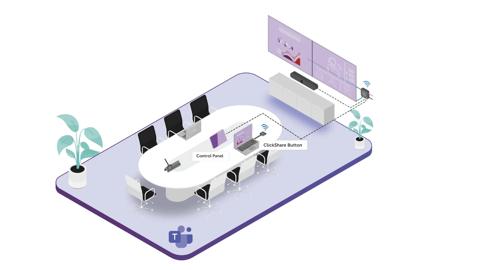
Designing Microsoft Teams Rooms for different spaces
Successful meeting rooms start with understanding room requirements before selecting technology.
Practical room design guidelines
Regardless of room size:
- Position cameras at eye level whenever possible
- Avoid mounting displays excessively high
- Ensure all participants can be seen and heard clearly
Audio and video best practices for Microsoft Teams Rooms
A good meeting is not about technology. It is about how people connect.
What good looks like:

- Clear speech pickup across the room
- Consistent audio levels for all participants
- Minimal echo and background noise
- AI-powered audio processing that helps reduce reverberation and unwanted distractions
- Natural field of view
- Participants framed clearly
- Camera positioned for eye contact
Smart audio enhancements
Microsoft Teams uses AI-based audio technologies such as echo cancellation, dereverberation, and voice isolation to improve speech clarity and help participants be heard more clearly, even in challenging meeting spaces.*
*Actual availability and performance can depend on the Teams client, room device, microphones and speakers, room acoustics, admin settings, and feature availability.
Common meeting room mistakes
Organizations should avoid:
- Rooms with poor acoustics
- Participants who appear too far from the camera
- Content-sharing experiences that require cables
- Rooms that provide no guest-friendly alternatives
If users struggle to be seen or heard, adoption can decrease quickly.
Managing and securing Microsoft Teams Rooms
As room deployments scale, management and security become increasingly important.
Centralized room management
Microsoft Teams Rooms Pro provides tools to:
- Monitor device health
- Manage updates
- Track room usage
- Resolve issues remotely
Using certified devices
Deploying devices certified for Microsoft Teams helps ensure:
- Reliable operation
- Consistent meeting experiences
- Compatibility with the Microsoft Teams platform
Security considerations
When evaluating meeting room solutions, organizations should consider:
- Encryption for audio, video, and content sharing
- Compliance certifications
- Regular security updates
- Administrative controls and policies
- Identity and access management through Microsoft 365
Planning your Microsoft Teams Rooms deployment
- Who uses the rooms?
- How frequently do guest-hosted meetings occur?
- Will users require BYOD workflows?
- Is support for platforms beyond Microsoft Teams important?
- Windows and Android solutions
- Video bar and modular room designs
- Meeting start times
- User satisfaction
- Support requirements
Once requirements are understood, organizations can define standards for devices, room layouts, and management practices.
Final thoughts
Microsoft Teams Rooms helps organizations create consistent meeting experiences built around simplicity, reliability, and centralized management. Whether you choose Windows or Android, video bars or modular systems, the most successful deployments start with a clear understanding of user needs and room requirements.
For organizations that also need wireless presentation, guest-friendly collaboration, or BYOD flexibility, solutions such as ClickShare can complement the Microsoft Teams Rooms experience while helping keep meeting spaces consistent, secure, and easy to manage.

Published by Pieter Vancoillie
news · 4 min read · Jun 11, 2026
ClickShare Hub adds Wireless BYOD to enable Zoom, Webex, and Google Meet meetings
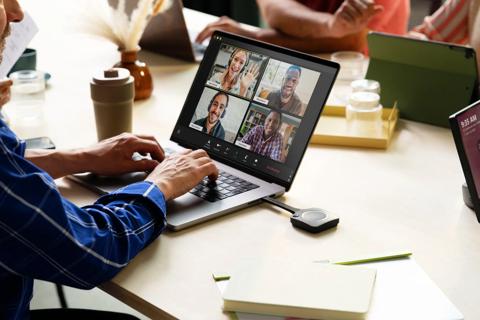
ClickShare Hub adds Wireless BYOD to Microsoft Teams Rooms, making it easy to join Zoom, Webex, and Google Meet meetings using the room’s AV devices.
news · 4 min read · Jun 9, 2026
ClickShare CX-50 2nd generation is now ANSSI CSPN certified, and what that means for hybrid meetings
ClickShare CX-50 2nd generation is now ANSSI CSPN certified, giving IT and security teams independent validation of its security for hybrid meetings in regulated and privacy-sensitive environments.
news · 5 min read · Mar 26, 2026
MDEP and meeting room security: Why Microsoft’s Android platform matters for IT
Discover how the Microsoft Device Ecosystem Platform (MDEP) brings consistency, stronger security, and predictable updates to Android‑based meeting room devices — and how ClickShare Hub builds on it to give IT a simpler, more secure, and more manageable meeting room experience.