Prerequisite
Before starting the deployment, ensure your environment meets the required specifications. For system and virtual machine requirements — including CPU, memory, storage, and network/security prerequisites, see KB3628.
Deployment procedure
- Download the XMS Virtual Edge
OVA filefor Oracle VirtualBox. - Open Oracle VirtualBox and navigate to File → Import Appliance...
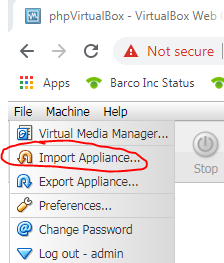
- Select the
OVA fileto import and click Next.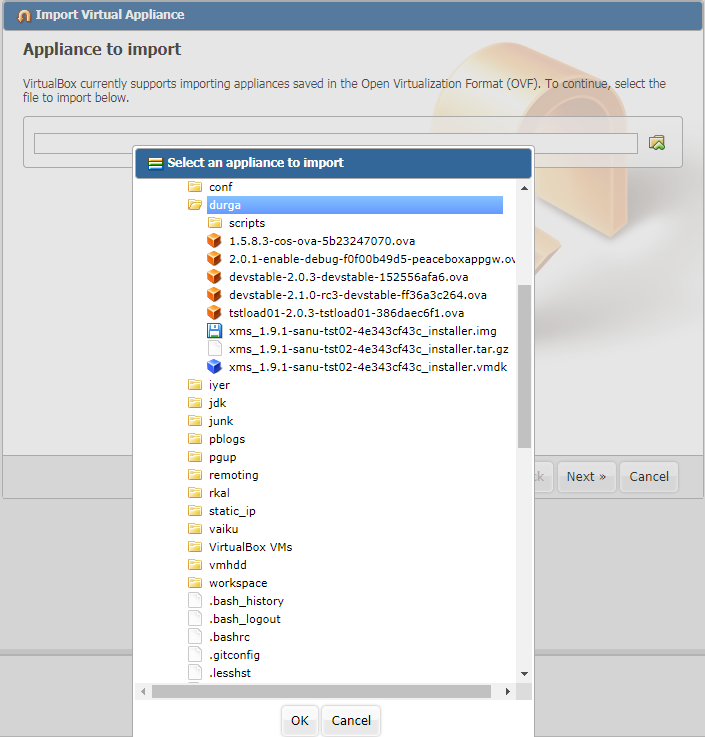
- Check the Reinitialize the MAC address of all network cards checkbox and then click Import.
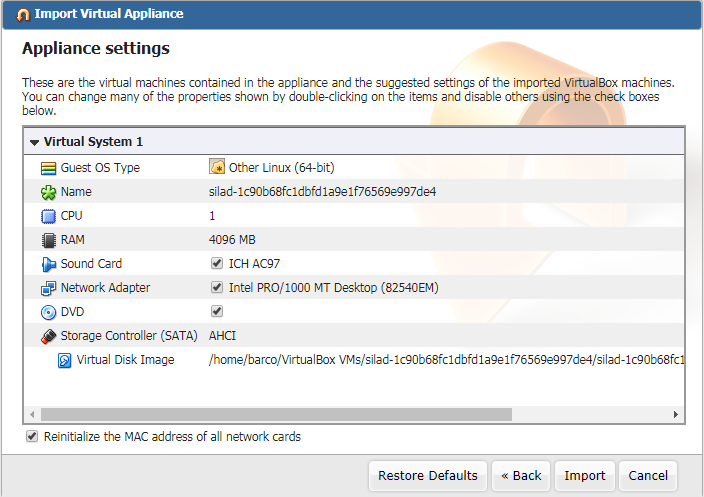
- Once the Import is done, new VM shows up in the list. Right-click on the VM and select Settings... from the context menu.
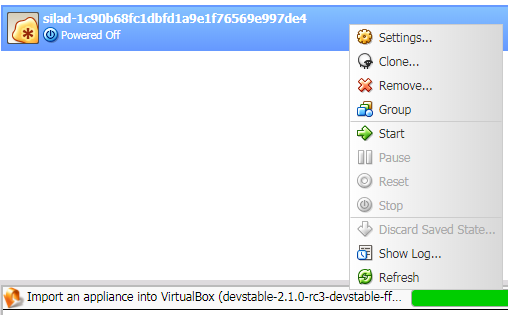
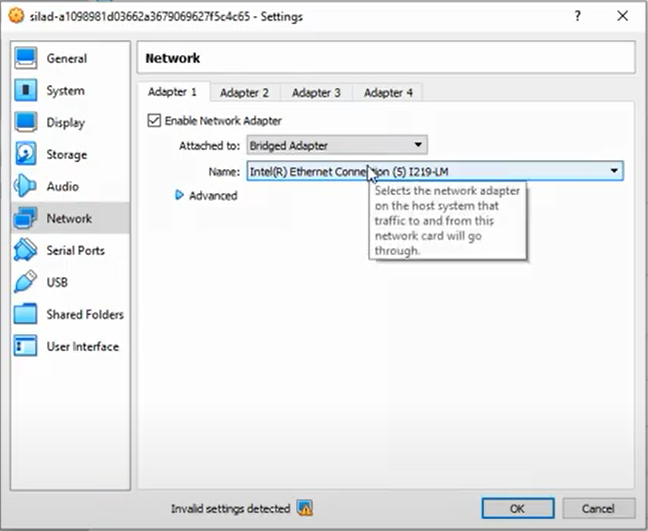
- Configure network settings:
- Click Network in the left pane.
- Select Bridged Adapter from the Attached to drop-down menu.
- Select the correct adapter from the Name drop-down menu.
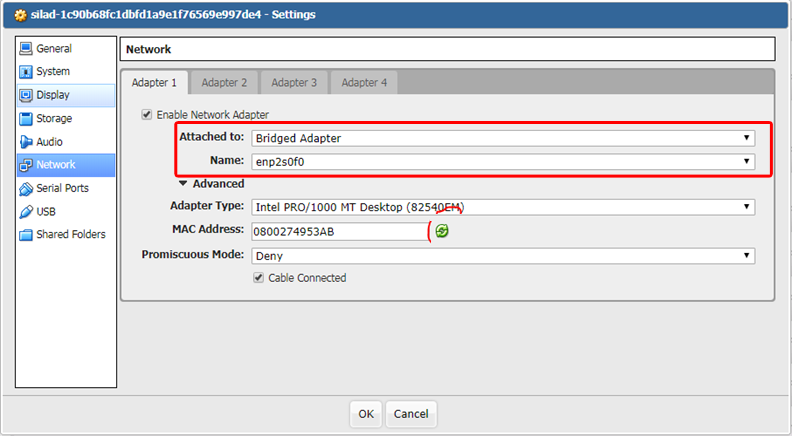
Example:
- Right-click on the VM and select Start.
The console of the VM shows the IP address of XMS Edge after a few minutes.