
This KB explains how to activate WorkSpot via the Troubleshooting Page.
Activation
- Type https://<NMS IP address>:8443/nms.
The Barco NMS Home page opens. - Select Launch _ Troubleshooting.
The Troubleshooting page opens.
All components available in the Nexxis OR system are listed here. 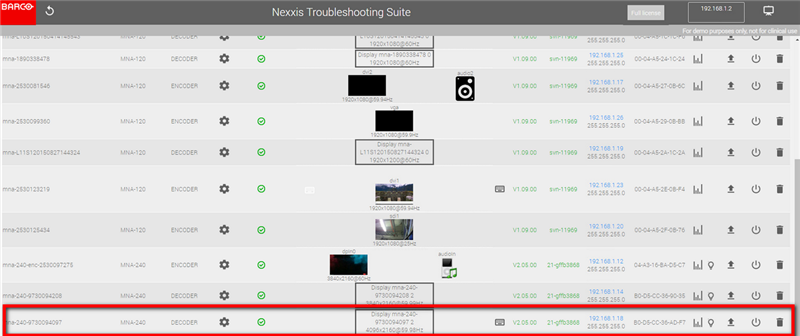
- Select the line of the MNA-240 Decoder you want to use as WorkSpot (see red rectangle in the image above).
- Press the rectangle ”Display MNA-240 xxxxxxx” in the middle of the line and the WorkSpot pop-up screen appears.
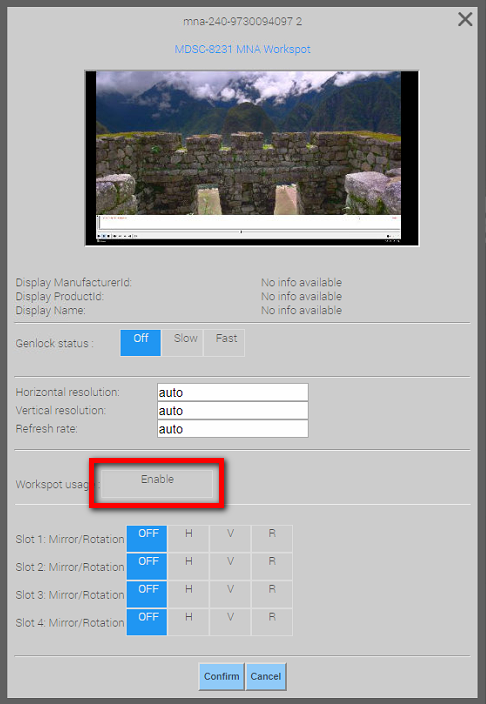
- Press the button Enable to start the WorkSpot function.
Once the WorkSpot is enabled, the display will be coloured blue in the Demonstrator page.
NOTE: You need a license for each WorkSpot that you install.

