
On the CMS server home page, navigate to and click Licensing.
Enter the license key.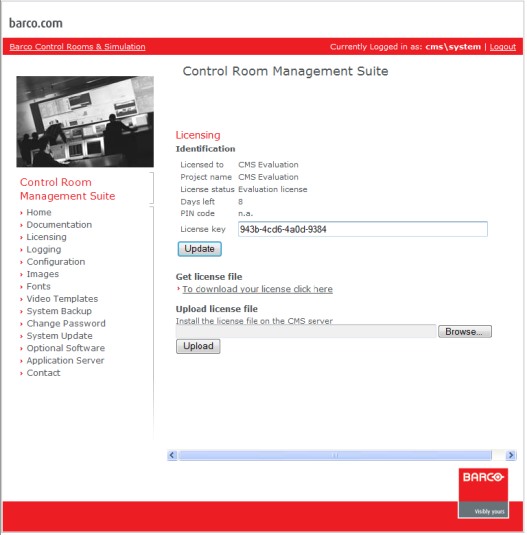
Click Update: this will generate the PIN code

A license key and PIN code are required for getting the license file.
Click To download your license click here. This will direct you to the Barco software registration page.
(http://productregistration.barco.com/ )
(http://productregistration.barco.com/ )

Fill in the required information.
When you have received the license file, store it to be able to access it when uploading the license to Barco Control Room Management Suite.
Subsequently go to the CMS server page, Licensing.
Click on the Browse button, and navigate to the folder where the valid license file had been stored.
Click the Upload button to save the license file to the Barco Control Room Management Suite server!
After the Upload button had been clicked a dialog pops up where you can reset the password for the system user. There is no other way to reset the password.
Using the licensing page of the Barco Control Room Management Suite home page,
no restart of the central server or the clients are required to activate the licenses.
no restart of the central server or the clients are required to activate the licenses.

