
Issue
When trying to upload a big image file as background image for a perspective, an error message is displayed.
(Known error messages are "not enough handles", or "Java heap space"
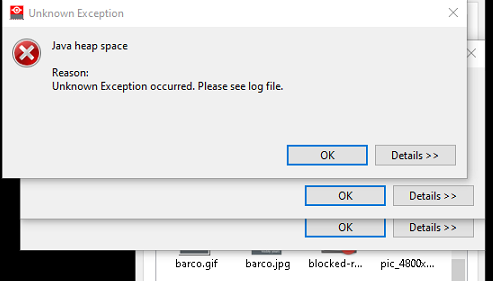
After this no more action on the background image is possible.
"Big image" refers to the size of the image in pixel, even if the file size is rather small
Fixing the issue
To get the system operational again follow these steps:
1. Go to the web-site of the CMS-server and log in
2. Select "Images" on the left menue, and then "backgrounds"
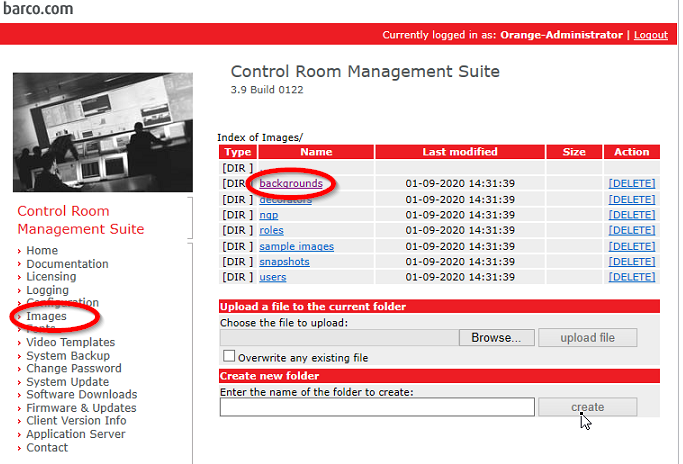
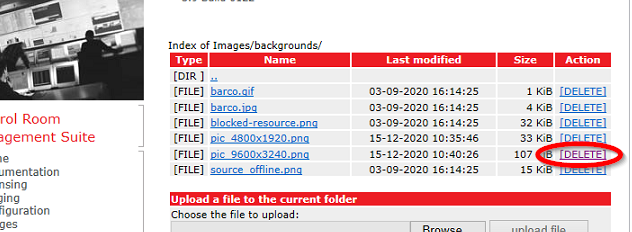
3. Delete the uploaded image
Mitigation of the issue
The recommended way to proceed is to reduce the resolution of the background image.
With the "Size"-tab in the background properties it can still be resized to the desired size.
In most cases the reduction of the resolution is not visible because of the viewing distance
people normally have from the wall.
Another approach is using a local html-page as source in the background as described in KB7759.
However, this only works on Windows based display walls.

