An update has been made to the hardware platform of the ClickShare C-5, C-10, CX-20 and CX-30 Base Units. These new devices are being identified as 2nd generation or Gen2. They replace the 1st generation of these ClickShare products and provide the same functions and capabilities, with two enhancements:
- All USB ports are now USB 3.0 ports. The behavior of the ports hasn’t changed, and the supported video resolutions of supported peripherals (CX-20 and CX-30) are still the same. Some previous limitations, related to USB 2.0 might be removed in future software releases.
- The USB-C port now supports DisplayPort™ over USB-C and Power Delivery over USB-C. This means that the 2nd generation ClickShare devices can now be connected with a single USB-C cable to a display for image and power
How to identify your 2nd generation ClickShare Base Unit
The table below outlines different ways to identify your 2nd generation ClickShare Base Unit:
| Types | Visual identifications | Description |
|---|---|---|
| Packaging | 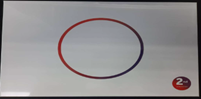 | A 2nd generation sticker can be found on the top side of the box* |
 | A 2nd GENERATION indication can be found on the 3 sides of the box, at the bottom under the product name* | |
| * Sticker will be replaced on the packaging | ||
| Label on the box | 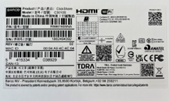 |
Part number number starting with R98616______ indicates a Gen2 device Model number C3010S (without space) indicates a Gen2 device |
| Label on the ClickShare Base Unit | 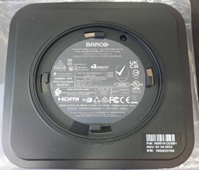 | Model number C3010S (without space) indicates a Gen2 device |
| ClickShare Configurator | 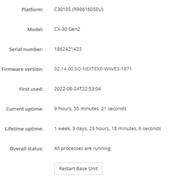 | The Base Unit is labeled as a Gen2 device under Model |
| XMS |  | The Base Unit is labeled as a Gen2 device under Model |
| Desktop App | 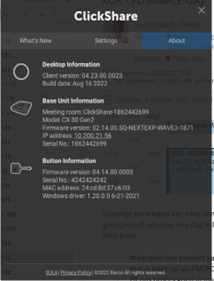 | The Base Unit is labeled as a Gen2 device under Model |
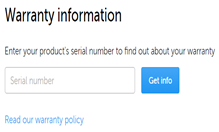
| Support page checking |
https://www.barco.com/en/support
| When you search with the serial number on the support page of Barco you will see it is a Gen2 device |