
Barco search

myBarco notifications

Unread

Read

You don't have any notifications.

How to check the current installed version of MediCal QAWeb Agent

Article number: [2882] - Legacy code: [6427]

Applicable to

Make sure to check out the KB article on where to find the latest QAWeb software and check if your QAWeb Agent and QAWeb Relay are still up to date.
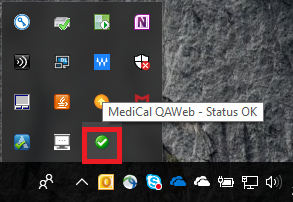
  1. Open the MediCal QAWeb Agent by Double-clicking the systray icon.
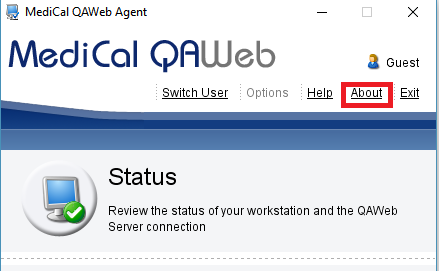
  2. Click the About link in the main window
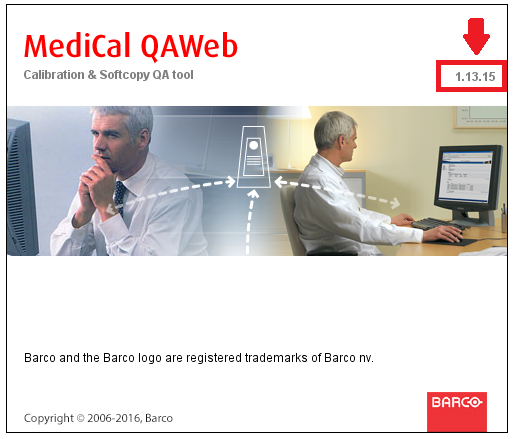
  3. Check the MediCal QAWeb Agent version information
Properties

Last updated Jul 23, 2024

No solution found?

Phone support

Our helpdesk provides you with prompt phone support. A team of experienced support engineers is at your service for any professional assistance.