No, a ClickShare Base Unit cannot put a display or projector into standby mode.
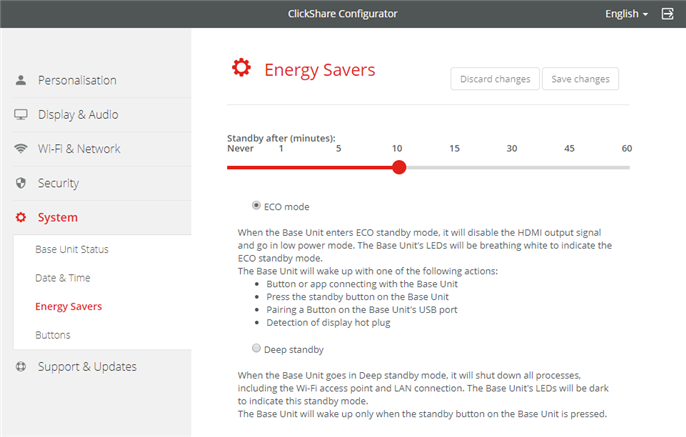
However, if your display or projector can turn itself into standby when the signal is disabled on its input (no signal is detected), you can achieve the desired result by configuring the ClickShare Base Unit in ECO mode.
Note: This behavior is applicable to displays that do not support CEC (Consumer Electronics Control).
You can enable ECO mode via the ClickShare Configurator by navigating to System > Energy Savers.