
There is a chance that none of the ClickShare Base Units will appear in the "Rooms nearby" window when you start the ClickShare Desktop App.
Note:
If you're an end user and encounter difficulty performing the instructions provided here, please contact your ClickShare admin with details of the issue, including reference to KB11351, for the necessary assistance.
Best way to locate what is the possible cause:
- Try connecting to the device by searching the IP or DNS name: Enter the IP or DNS name of the Clickshare Base Unit into the Clickshare "Rooms nearby" search field. If the client successfully connects (ready to share), then the connectivity is working correctly.
- Check that mDNS and/or SSDP are enabled and routed: ClickShare utilizes IPv4 multicast (mDNS and SSDP) to advertise its capabilities to the default router. The router stores this information in its local multicast table. The information from the Base Unit is only sent during power-up - it is not sent unsolicited. The router waits until a client asks (queries) for any/all hosts capable of multicast. It then sends its complete table to the requesting PC. The ClickShare client further grooms this information and eliminates any entries that are not ClickShare Base Units.
How to check the discovery mechanism using Wireshark:
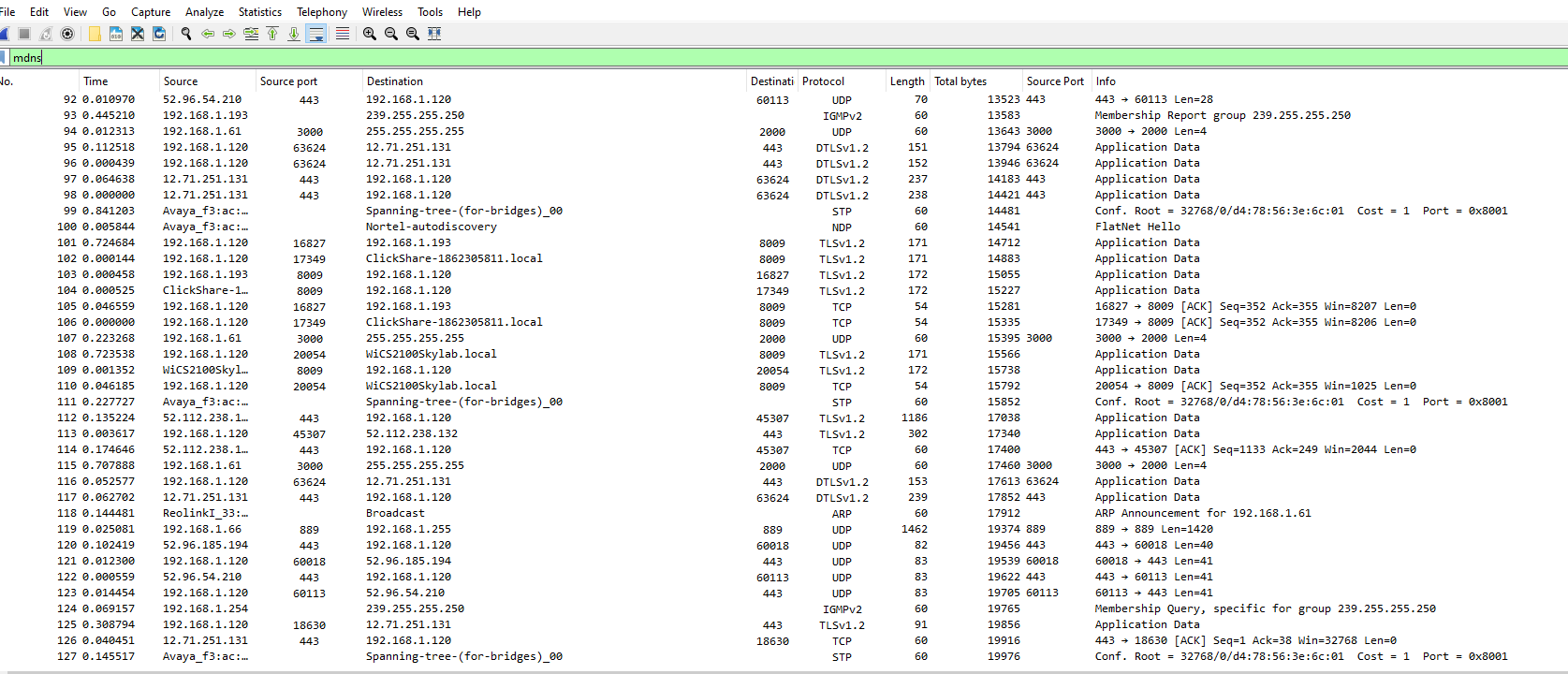
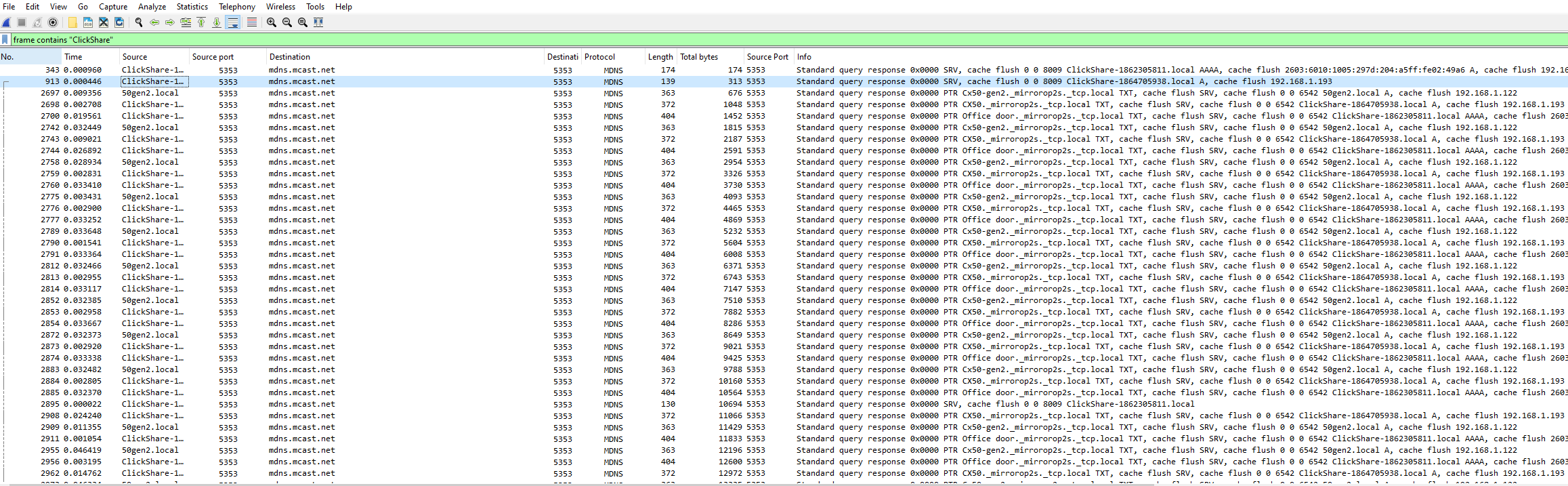
First, load Wireshark on the PC that is not discovering ClickShare Base Units (if prompted, select promiscuous mode). Then, in the Wireshark display filter, type "mdns" without brackets. You will see all the multicast packets in your VLAN. Now, you can further filter by typing frame contains "ClickShare". If you see ClickShare Multicast packets, then they should be displayed in the ClickShare Client. If not, check your laptop firewall. If you do not see any multicast packets containing ClickShare, then the Base Unit advertisements are not reaching this subnet (multicast needs to be routed). You need to refer this to your network team.
Here is a look at the MDNS filter in action, it captures all multicast:
Type this filter right over the top of the MDNS filter to invoke a further level of filtering to find ClickShare multicast data (this capture was taken on a laptop while the ClickShare client was starting):
Another display filter you could use to discover multicast as well is "(ip.dst==224.0.0.251)", which is the address the ClickShare uses.

