
About the OSD lock
The OSD lock can be enabled to avoid unwanted access. When the OSD
is locked, pressing the OSD menu key the keyboard will not activate the OSD menu, but will make the OSD lock window appear. The OSD menu can only be accessed after pressing a sequence of keys.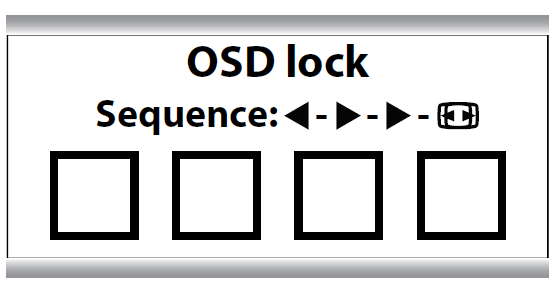
To lock/unlock the menu
When the OSD lock window appears, press the following key sequence to unlock the OSD menu: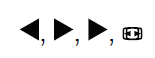
Each time a key is pressed an asterisk is shown in the square boxes. After pressing the fourth key, if the sequence is correct, the OSD main menu is activated. After exit, the OSD menu will automatically lock again.

