

KVM control room solutions: transition from basic switching to integrated platforms
In control rooms where every second counts, operators need seamless access to multiple systems without the clutter of dozens of keyboards, mice, and monitors. This is where KVM technology becomes essential – but not all KVM solutions are created equal. Modern control rooms demand more than just device switching; they need integrated platforms that unify information, maintain security, and scale effortlessly.
Table of contents
- What is a KVM switch?
- How does KVM over IP works?
- Why do control rooms need advanced KVM solutions?
- How does Barco CTRL go beyond traditional KVM over IP for mission-critical operations?
- Is Barco CTRL secure?
- What makes Barco CTRL a true all-in-one control room platform?
- Does Barco CTRL integrate with third party systems?
- How does Barco CTRL empower operators in critical moments?
What is a KVM switch?

KVM stands for Keyboard, Video, and Mouse. A KVM switch is a hardware device that allows operators to control multiple computers or servers using a single set of peripherals. Instead of maintaining separate keyboards, monitors, and mice for each system, a KVM switch consolidates everything into one workspace.
The benefits are immediate and tangible. Operators gain a cleaner, more organized workspace. Organizations save money on duplicate equipment. Most importantly, switching between different systems becomes as simple as pressing a button or hotkey. This means no more reaching for different keyboards or swivelling between monitors.
How does KVM over IP works?
While traditional KVM switches serve desktop applications well, they face a fundamental limitation: physical proximity. All connected computers must be close enough to run cables directly to the switch, typically just a few meters away.
KVM over IP eliminates this constraint by leveraging network infrastructure. Instead of direct cable connections, KVM over IP transmits keyboard, video, and mouse signals across standard IP networks. This seemingly simple shift unlocks transformative capabilities for control room environments.
With KVM over IP, operators can access systems located anywhere on the network – whether in an adjacent server room or a facility across the campus. This networked approach delivers several advantages. Scalability becomes practically unlimited; adding new systems requires network connections rather than physical cable runs. Redundancy improves, as network architecture naturally supports failover capabilities. Remote access becomes possible, enabling operators to manage systems from multiple locations when needed.

For control rooms, KVM over IP solves another critical challenge: security through physical separation. By housing sensitive servers in secured locations while providing operators controlled access, organizations can implement robust physical security without sacrificing operational efficiency. An intruder cannot simply plug a malicious USB drive into a system when that system resides in a locked server room accessible only to authorized personnel.
Want to know more about cybersecurity in control rooms? Then check out our dedicated security page!
Why do control rooms need advanced KVM solutions?
Control rooms face unique challenges that push basic KVM technology to its limits. Operators monitor multiple data sources simultaneously – security cameras, SCADA systems, communication platforms, and analytical tools. Each source often runs on segregated networks for security and compliance reasons, yet operators need to work across all of them seamlessly.

Traditional KVM over IP handles the access problem but creates a new challenge: cognitive overload. When operators constantly switch between isolated systems, each with different interfaces and workflows, they lose valuable time and mental energy. During critical incidents, these context switches can delay response and increase error risk.
Modern control rooms require solutions that go beyond simply accessing multiple systems. They need platforms that integrate information into cohesive operational pictures, maintain consistent user experiences, and distribute critical data to both individual workstations and large display walls.
How does Barco CTRL go beyond traditional KVM over IP for mission-critical operations?
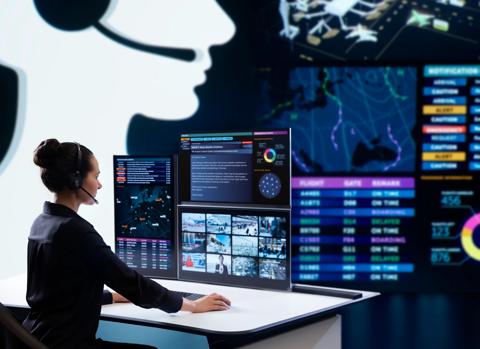
Barco CTRL transforms the traditional KVM paradigm from a switching tool into a comprehensive control room platform. While it functions as a powerful KVM over IP solution, it delivers far more – creating unified operational environments where information flows naturally and operators remain focused on critical decisions.
At its core, Barco CTRL allows operators to access and control sources from multiple isolated networks on a single canvas, using just one keyboard and mouse. However, unlike traditional KVM over IP solutions that simply switch between systems, CTRL integrates them into a cohesive workspace. Networks remain completely separate – segregated at the infrastructure level for security – but merge seamlessly at the presentation layer where operators work.

This integration extends beyond operator desks to video walls, break-out rooms, and remote locations. The same intuitive interface spans the entire control room environment, eliminating the need to learn different systems for different use cases. When critical information needs to be shared with the team, operators can instantly distribute it to relevant displays without switching platforms or workflows.
Is Barco CTRL secure?
For control room software, security cannot be an afterthought. Barco CTRL was built from the ground up following security by design principles, ensuring that every component, connection, and interaction operates with appropriate security controls from day one.

The platform's security architecture rests on five fundamental pillars. Identity management implements zero-trust authentication and authorization, ensuring only verified users access appropriate systems. Communication protection uses certificate-based encryption with mTLS for all data transmission. System protection provides 360-degree coverage from boot processes through system updates. Audit logging creates comprehensive trails for accountability. Media protection secures data at the device level.
This defense-in-depth approach means security is woven into the platform's fabric. Regular penetration testing, ISO 27001 certification, and a dedicated security roadmap ensure Barco CTRL remains at the forefront of cybersecurity as threats evolve.
What makes Barco CTRL a true all-in-one control room platform?
What truly distinguishes Barco CTRL from traditional KVM over IP solutions is its all-in-one platform philosophy. Where other solutions focus narrowly on device access, CTRL addresses the complete control room visualization challenge – from content collection and networking to distribution and display.
The platform scales effortlessly with your needs. Start small with a few sources and operator positions, then expand to global systems simply by adding encoders and decoders. No architectural overhauls, no migration headaches – just straightforward growth that protects your investment.
Deployment is remarkably simple despite the platform's power. A configuration wizard guides installers through setup, including encoder and decoder configuration and video wall arrangement. Updates roll out automatically from a central location, often completing during a coffee break rather than requiring extended maintenance windows.

The system also prevents downtime through redundancy options for critical components. Services run in containers, so one malfunctioning service cannot take down the entire system. Health monitoring constantly verifies performance, ensuring the best possible uptime for mission-critical operations.
Does Barco CTRL integrate with third party systems?

Barco CTRL recognizes that control rooms don't exist in isolation. The platform integrates easily with third-party video management systems through APIs, allowing organizations to leverage existing investments while gaining the benefits of unified visualization.
This openness extends to peripheral support and flexibility. The platform accommodates various monitor configurations – portrait, landscape, or mixed – and synchronizes audio and video perfectly, eliminating the frustration of mismatched feeds that can lead to misinterpretation during critical moments.
You can find more detailed information about Barco CTRL on our dedicated video page.
How does Barco CTRL empower operators in critical moments?
Ultimately, control room technology serves one purpose: enabling operators to make fast, informed decisions during critical moments. Barco CTRL puts operators at the center, allowing them to decide what information is relevant, how it should be arranged, and where it needs to be shared.
This operator-centric approach eliminates the cognitive load of constantly adapting to different interfaces and mentally connecting information across disparate systems. Everything appears on a unified canvas with a consistent user experience, letting operators focus on what matters most: maintaining safety, security, and operational excellence.
For organizations evaluating KVM control room solutions, Barco CTRL represents the evolution from simple device switching to true operational integration. It's not just about accessing multiple systems – it's about bringing them together into a cohesive environment where information flows seamlessly and technology adapts to how operators naturally work.
Ready to experience the next generation of control room technology? Request a demo of Barco CTRL to see how our integrated platform can transform your operations while maintaining the highest security standards.
All images generated using AI.