Barco search

myBarco notifications

Unread

Read

You don't have any notifications.

ClickShare Configurator for CS-100 and CSE-200 Base Units not opening in the Chrome browser on Windows 11 (Fixed in FMW 1.11.10.3)

Article number: [7472]

Applicable to

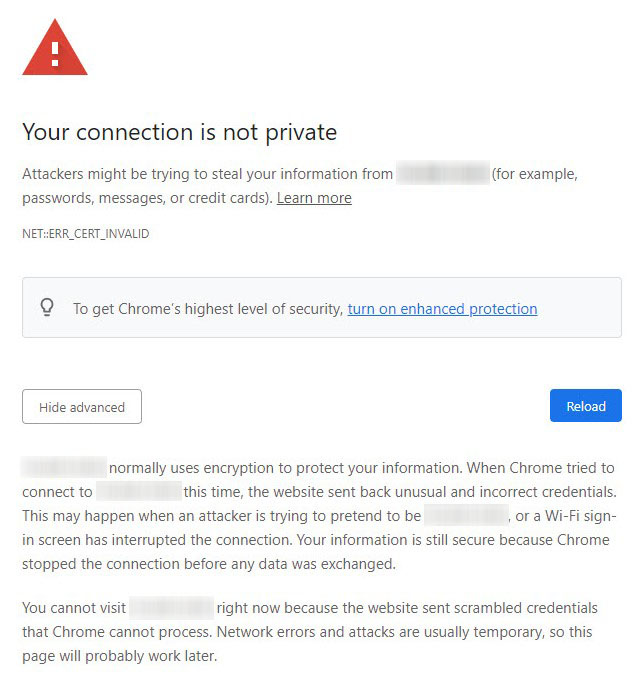
When accessing the ClickShare Configurator for the CS-100 and CSE-200 Base Units on the Google Chrome browser in Windows 11 computer, an error message appears stating — Your connection is not private.
kb7472.jpg


Solutions

  1. Update the firmware

    Upgrading your ClickShare CS-100 and CSE-200 Base Unit to firmware version 1.11.10.3 or higher will fix this issue.

    For manual firmware update instructions, see KB5923. If the web interface is not accessible, try a firmware upgrade via USB.

  2. Use a different browser
    If you're unable to access the ClickShare Configurator via Chrome, try using Microsoft Edge browser to access the ClickShare Configurator for CS-100 and CSE-200 Base Units.


Related Articles

Properties

Last updated Sep 7, 2026

No solution found?

Log a support ticket

  • Technical questions
  • Return Material Authorization (RMA)
  • Status tracking of pending service requests
  • Consumable and spare parts orders

Barco AI assistant (Beta)

Our AI Assistant gives you immediate access to the full depth of our support knowledge—FAQs, detailed guides, and comprehensive PDF manuals.

Phone & email support

Our helpdesk provides you with prompt phone support. A team of experienced support engineers is at your service for any professional assistance.