Barco search

myBarco notifications

Unread

Read

You don't have any notifications.

How to connect to your ClickShare Base Unit Wi-Fi?

Article number: [2675] - Legacy code: [8045]

Applicable to

Connecting to the ClickShare Base Unit Wi-Fi or SSID can be required when you want to share content from your mobile devices (tablet or phone) or when you need to access the Base Unit's ClickShare Configurator from a device that isn’t connected to the network.

  1. Find your Base Unit's Wi-Fi name, known as SSID, by looking for it on the Base Unit's splash screen.

    The default SSID of a ClickShare Base Unit is ClickShare-<serial base number>. For other locations where you can find the ClickShare SSID. see KB9670.

  2. On your device, go to Wi-Fi networks list and select your Base Unit's Wi-Fi name (or SSID) from the available networks.
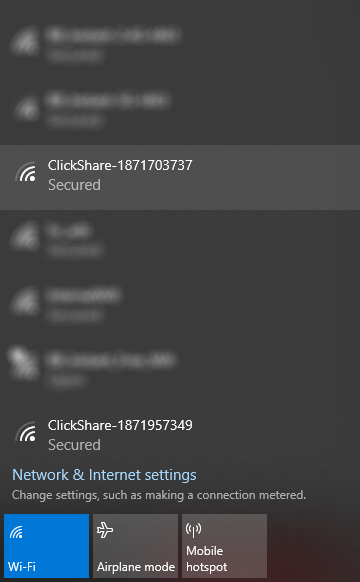
  3. Enter the password (default is clickshare) to connect to the Base Unit's Wi-Fi.

Related Articles

Properties

Last updated Sep 7, 2026

No solution found?

Log a support ticket

  • Technical questions
  • Return Material Authorization (RMA)
  • Status tracking of pending service requests
  • Consumable and spare parts orders

Barco AI assistant (Beta)

Our AI Assistant gives you immediate access to the full depth of our support knowledge—FAQs, detailed guides, and comprehensive PDF manuals.

Phone & email support

Our helpdesk provides you with prompt phone support. A team of experienced support engineers is at your service for any professional assistance.