
Overview
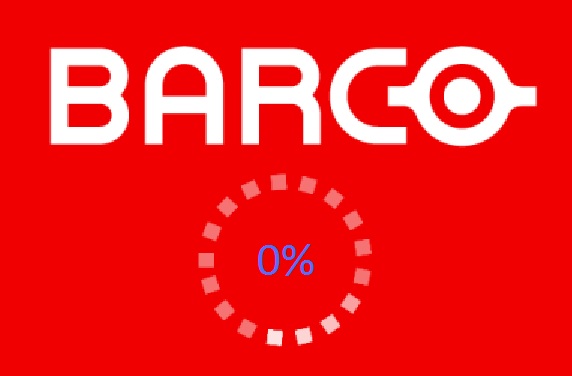
In some cases, users may experience the BarcoSystemSettings (BSS) GUI getting stuck at 0% with a spinning loader. This issue is typically caused by one or more dependencies of the Intuitive Workflow Tools (IWT) software components (BSS is part of IWT) not running correctly. This article outlines the possible root causes, diagnostic steps, and recommended solutions.
🔍 Root Causes
The BarcoSystemSettings UI depends on several background services and executables. If any of these are not running or are malfunctioning, the UI may fail to load:
1. BarcoProductivityService Not Running
- This Windows Service is responsible for launching and monitoring all IWT components.

- If this service is stopped, set to manual, or crashed, BarcoSystemSettings will not function.
2. Missing or Crashing Dependencies
The BarcoSystemSettings UI requires the following components to be running from the Windows TaskManager.
- BarcoView.exe
- BarcoSystemSettings.exe
- BarcoLicenseManager.exe
- BarcoTouchpad.exe
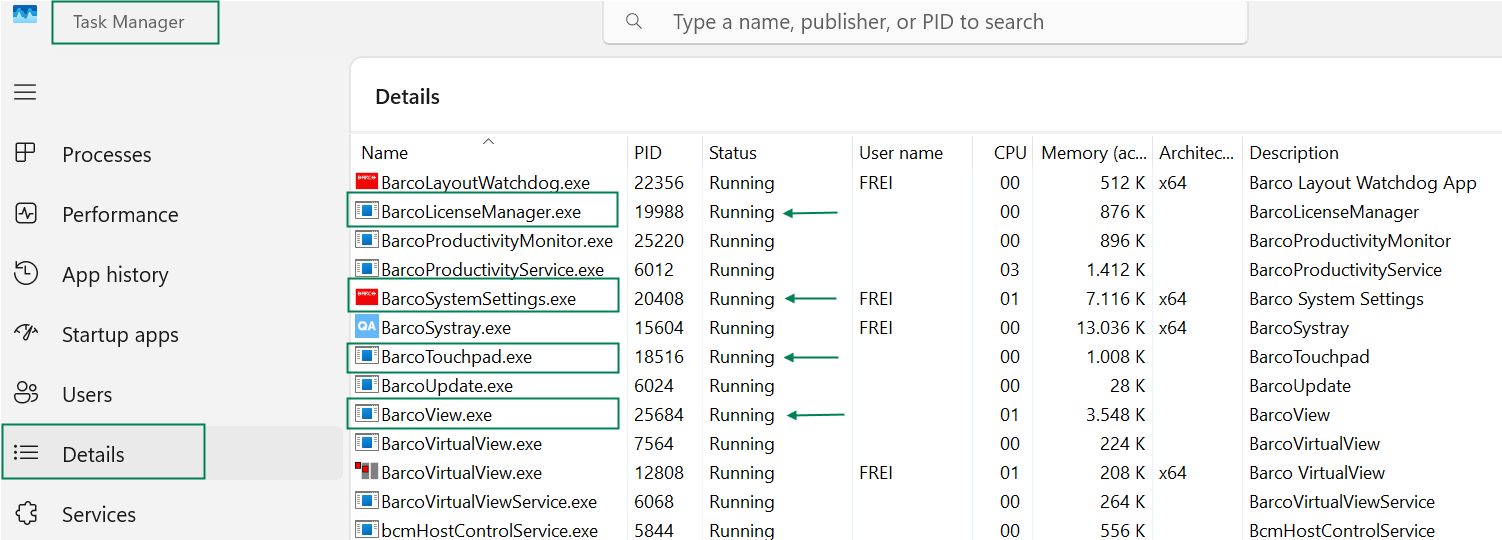
If any of these are:
- Not visible,
- Suspended,
- Rapidly restarting (changing Process IDs),
…it indicates a crash or failure to launch.
3. Fast User Switching Issues
- On systems with multiple users logged in, previous user sessions may leave behind running instances of BarcoSystemSettings, causing conflicts.
- This was a known bug in earlier versions of the MXRT Driver and IWT software.
- Please make sure to download the latest version of the MXRT Driver
4. Licensing or Touchpad Software Conflicts
- BarcoLicenseManager.exe should run even without a license.
- BarcoTouchpad.exe must run even if no physical touchpad is present.
5. QAWeb Enterprise Interference
- QAWeb Enterprise may temporarily block display communication during execution of tasks such as a Display Calibration or a Quality Assurance test.
- Features like SpotView or DimView may not work during this time.
✅ Troubleshooting Steps
- Check the BarcoProductivtiyService Status
- Open services.msc
- Ensure BarcoProductivityService is running and set to Automatic.
- Verify Running Processes in Windows TaskManager
- Open Task Manager > Details tab
- Confirm the following are running:
- BarcoView.exe
- BarcoLicenseManager.exe
- BarcoTouchpad.exe
- BarcoSystemSettings.exe
- Look for signs of crashing (e.g., rapidly changing PIDs).
- Test Hotkeys
- Ctrl+Shift+F (Find Cursor)
- Ctrl+Shift+X (SpotView, only on supported displays)
- Ctrl+Shift+I (I-Luminate, only on supported displays)
- Try other profile related hotkeys
- If these don’t work, BarcoView.exe may not be running and the UI of the BarcoSystemSettings may get stuck at 0%.
- Restart the Service
- Manually restart the Windows Service BarcoProductivityService.
- Check for Multiple Users
- Log out all users and reboot to ensure a clean session.
- Restart the System
- A full reboot often resolves inter-process communication issues.
- Reinstall IWT and QAWeb Enterprise
- If the issue persists, uninstall and reinstall both software packages.
🧩 Additional Notes
- One instance of BarcoVirtualView should run per Windows user.
- Only one instance of the BarcoView.exe, BarcoLicenseManager.exe, BarcoProductivityService.exe, and BarcoTouchpad.exe services should run, even with fast user switching.
- If the issue occurs repeatedly, collect logs using the BarcoMedSelfExam tool already installed on your workstation together with the MXRT drivers, and contact Barco Support.

